
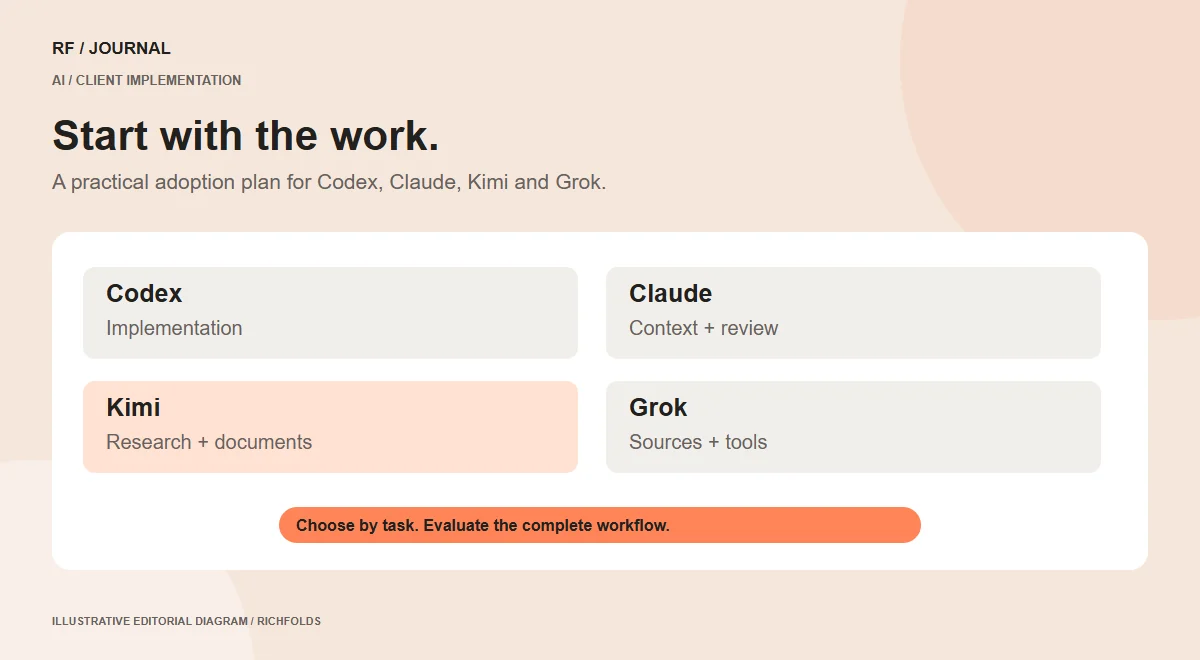
Choosing an AI tool for a client project is easier when you start with the work, not a leaderboard. A website team may need help implementing a component, reconciling product documents, preparing content or researching a platform change. Those are different requirements even when several assistants can contribute to each.
Codex, Claude, Kimi and Grok all belong in that evaluation conversation, but none should be selected simply because its latest announcement sounds impressive. The useful comparison includes the surrounding product, tool access, review process and operating constraints. A model name alone does not describe the system you will deploy.
This article proposes an adoption plan for RichFolds-style CMS, ecommerce and experimentation work. It does not claim that these tools have already produced measured client results. Product status was checked against official sources on 14 October 2026.
Begin with a task map
List the work the business wants to improve. Keep the list concrete: create a reusable service component, check contradictory product specifications, prepare an approved article outline or inspect experiment tracking. Avoid broad objectives such as automate marketing unless they can be broken into reviewable tasks.
For each task, identify inputs, output, owner and consequence of error. A proposed heading brainstorm can tolerate suggestions that an editor rejects. A customer-facing compatibility answer needs a much stronger evidence and access process.
This task map reveals where assistance is useful and where the business first needs better source information. An AI tool cannot reliably reconcile a catalog if nobody has established which specification is authoritative.
It also prevents the project from acquiring unnecessary integrations. If a task only needs approved documents, connecting production customer records adds complexity without helping answer the question.
Compare the four tools by their documented roles
For code-centered work, evaluate Codex and Claude Code within their actual development environments. For document-heavy research, evaluate Kimi’s current document and agent options. For research involving current web or social material, evaluate Grok’s relevant tool configuration. These are starting points for testing, not exclusive categories or a ranking.
The official sources establish current changes worth noting: OpenAI’s changelog lists GPT-6.1 Sol and an October Ultrafast update; Claude’s release notes list Haiku 5.5 and a dynamic-workflow beta; Kimi’s current guide describes K3 and K3 Cluster; and xAI’s guide documents Grok 4.7.
The next step is checking which of those capabilities your account and workflow can actually use. Do not assume consumer chat access includes the same tools, limits or commercial terms as an API integration or enterprise workspace.
Keep internal assistance separate from a public AI feature
Internal assistance changes how a team performs work. A developer may use a coding agent, an editor may use an assistant to organize a brief, or an analyst may ask for help inspecting an approved export. A person remains in the operating loop.
A public AI feature changes the product the customer uses. An order assistant, catalog search experience or support chatbot needs authentication, retrieval, output handling, monitoring and an explanation of its boundaries. It may also introduce new operating and privacy responsibilities.
The same model can appear in both situations, but the project scope is different. A successful internal trial is evidence about that trial, not proof that the tool is ready to answer customers unattended.
Separate these scopes in the proposal. Name the expected deliverable and the ongoing owner. This avoids selling a conversational demonstration as though it were a complete application integration.
A proposed pilot for a CMS content workflow
Choose one content type with an identifiable owner, such as a service page. Supply the approved service definition, audience, evidence and tone guidance. Ask the assistant to produce an outline and identify missing information before it writes a finished page.
Have the service owner verify the outline. Remove invented promises, customer examples and qualifications. Then draft the copy and compare its factual claims with the source material. Keep the editor’s decision visible in the record.
Implement the reviewed content in the CMS using the appropriate model and fields. Check preview, required data and the editor’s ability to maintain it. A document that reads well can still be awkward to update if the page is built as repeated hardcoded sections.
The pilot succeeds when the team can explain the content, verify it and make the intended edit. Do not claim a publishing-time saving until preparation, review and correction work have been measured.
A proposed pilot for an ecommerce information problem
Select one product family where buyers need a clear decision, such as compatibility or size. Create an approved fact set with the catalog owner. Identify which attributes are missing, inconsistent or difficult to present.
Use an assistant to help organize the information or propose an interface, but verify the values before implementation. A model should not infer that an accessory fits simply because the names look related or the objects appear similar.
Test the proposed journey with representative products and difficult states: no matching result, unavailable variation and incomplete information. Make it clear how the interface handles uncertainty. A missing attribute is a catalog issue to resolve, not a reason to invent a default.
The outcome might be a useful filter, a compatibility note or better variant controls. Evaluate whether the identified problem remains before discussing commercial impact. Our product discovery guide connects these changes with the wider shopping journey.
A proposed pilot for code delivery
Choose a contained feature with a visible acceptance criterion. A contact-form confirmation state is a good example because it includes success, loading and failure behavior. Identify the current handler and the actual destination of the submitted information.
Use the coding assistant to inspect the existing implementation and make a scoped change. Review the difference for unrelated edits and maintainability. Exercise the intended paths in a safe environment, including a failure that preserves useful input.
Record the evidence needed for the claim. A local mock response can demonstrate the interface state, but it does not prove delivery to a live CRM. A public success message should reflect the state the system genuinely knows.
For the surrounding design, see our form implementation article. AI assistance should help implement the agreed contract rather than replace that contract with a convenient assumption.
A proposed pilot for A/B testing support
AI can help organize hypotheses, draft test variants and inspect event definitions. It cannot turn an underpowered experiment into dependable evidence by explaining the result confidently.
Begin with a question and a primary outcome. Define the population, assignment method and stopping or decision rules with the analysis owner. Ask the assistant to identify ambiguities in the plan, not to manufacture a winning variant.
Before launch, inspect whether assignment, exposure and outcome events describe the same behaviors in both variants. Check duplicated events, validation failures and consent-related measurement limits. These are implementation checks, not a substitute for statistical design.
Afterward, separate the observed result from the interpretation. A difference may be uncertain, affected by tracking problems or irrelevant to the business decision. Use the A/B planning guide to keep the experiment tied to a meaningful question.
Define an evaluation set before selecting a winner
Prepare a small set of real tasks with clear expected results. Include straightforward work and difficult cases: incomplete facts, contradictory requirements, denied access and a result that should be escalated.
Run the candidate workflows with comparable inputs. Record correctness, useful detail, compliance with the required format and the amount of human correction. Keep the model, effort setting and tool configuration with the result where available.
Do not ask one tool an easy question and another a more complicated one, then attribute the difference to general intelligence. The evaluation should represent the workload the client actually has.
A useful scorecard can include accepted outputs, severe errors, reviewer effort, completion time and total task cost. Avoid a single composite score that hides a failure the business cannot tolerate. A tool with a strong average may still be unsuitable for a particular high-consequence action.
Account for the complete operating cost
Token pricing is one input to the budget. Retrieval, tool calls, retries, long-running processing, storage and review can also matter. Internal assistance and a public application may have very different usage patterns.
Estimate a task using realistic inputs and the expected review process. Then measure the pilot rather than treating an advertised unit price as the final operating cost. Include what happens when a request reaches a limit or a dependency fails.
Consider the cost of maintaining the workflow. Someone needs to update source material, inspect failures and verify behavior after a relevant model or API change. A cheap first demonstration can become expensive if nobody owns that work.
Make the budget understandable to the client: what is billed by the vendor, what the implementation includes and which ongoing tasks require human support. Avoid promising savings from benchmark numbers that were not measured in this environment.
Separate current, beta, upcoming and unconfirmed
Use four labels in the project watchlist. Current means the official source documents availability. Beta means the capability is explicitly described as such. Upcoming means a dated official announcement establishes a future change. Unconfirmed covers expectations that lack that support.
A concrete upcoming example is xAI’s 2 November image-model migration. That deserves a compatibility and image-quality check if the client’s workflow uses the affected model slug.
By contrast, an imagined next model name is not a release plan. Neither a rumor nor an assistant’s prediction should determine the project’s delivery date. If the required capability is unavailable, design an alternative using tools that exist or record the dependency openly.
Update the watchlist when later documentation supersedes an announcement. Claude’s Haiku 5.5 illustrates that distinction: it should not remain labelled coming soon after the official release notes establish its launch.
Preserve a way to change tools
Keep the business rules, source ledger and acceptance criteria independent of one assistant’s conversational history. Those are project assets the client should retain if the team changes a model or provider.
For an application, document the input and output contract. For a research workflow, retain source locations and decisions. For code delivery, preserve maintainable implementation notes. Avoid relying on an undocumented prompt that only one person knows how to use.
This does not require building an elaborate abstraction before a small pilot. It requires separating durable business knowledge from provider-specific settings. The next evaluation can then reuse the same tasks and evidence instead of starting from memory.
A fallback should also be practical. If an AI service is unavailable, explain whether the task pauses, goes to a person or uses a simpler supported path. Customers should not encounter unexplained failures because an optional assistant became an invisible dependency.
Choose the next step from evidence
The most useful starting point is one bounded workflow with approved inputs and an accountable reviewer. Complete it, inspect the result and record what remains uncertain. Expand when the pilot supports a larger role.
Codex, Claude, Kimi and Grok can each be evaluated within that process. The objective is not to use every tool on every project. It is to choose capabilities that help the team deliver work it can explain, maintain and verify.
If the project is still deciding its platform or integration scope, start with CMS selection and migration planning. AI becomes more useful when the underlying requirements are clear.
Research checked on 14 October 2026. Product availability may vary by account, plan and configuration. Examples are proposed workflows, not measured client results.
For the Claude-specific implementation discussion, read the CMS and ecommerce workflow guide.
For research-heavy content work, review the Kimi content-operations guide.
For the research process and its verification limits, see the Grok workflow guide.


