RAM used to be the fairly boring line in a computer quote. You chose enough of it, checked compatibility and moved on to arguing about the graphics card. The memory market is making that line rather harder to ignore.
There is a real supply squeeze behind the current discussion. Demand from AI and server systems is competing for memory manufacturing resources, while different product categories face different constraints. That does not mean every shop has run out of every RAM kit, or that every expensive laptop is expensive for the same reason.
For a designer, developer or small business, the useful response is to check the workload, the supported hardware and the actual purchase options. Panic is a poor compatibility checker.
This article explains the evidence available on 27 October 2026 and proposes a practical buying process. We have not benchmarked RAM kits, audited retailer inventory or obtained supplier quotations for this article.
What the latest evidence says
In its 30 September memory-market outlook, TrendForce projected conventional DRAM contract prices to rise 10–15% quarter over quarter in the fourth quarter of 2026. It described suppliers prioritizing advanced capacity for high-performance server products, alongside constraints in packaging, testing and production flexibility.
That is an industry contract-price forecast. It is not a measured increase for every retail memory kit, and it is not a promise about the price you will see next week.
Micron's fiscal Q4 2026 prepared remarks, dated 30 September, similarly forecast tighter memory and storage supply-demand conditions in calendar 2027 and 2028 than in 2026. The company said it could not yet identify when DRAM supply and demand would return to balance.
These sources support concern about constrained supply. They do not establish an exact end date for the shortage or a universal price path. A company's outlook remains a forecast, even when the company manufactures the product.
RAM, HBM and SSD storage are different things
RAM is the working memory used while applications run. DRAM is the chip technology behind familiar system-memory products, including DDR memory. Capacity describes how much information can be held; bandwidth describes how quickly information can move. Those are related purchasing considerations, not synonyms.
HBM, or high-bandwidth memory, is also a form of DRAM. It uses a different physical arrangement and interface for demanding computing systems. Samsung's HBM documentation describes vertically stacked memory dies and wide interfaces designed for workloads such as AI and high-performance computing.
HBM is not a spare desktop stick waiting to be redirected to your motherboard. Its connection to ordinary RAM shortages is through manufacturing resources and product priorities, not plug-and-play substitution.
An SSD serves a different role: persistent storage for files and applications. Buying a larger SSD does not add the same resource as installing more system RAM. A headline that combines DRAM and NAND can describe pressure in both markets, but it should still distinguish memory from storage.
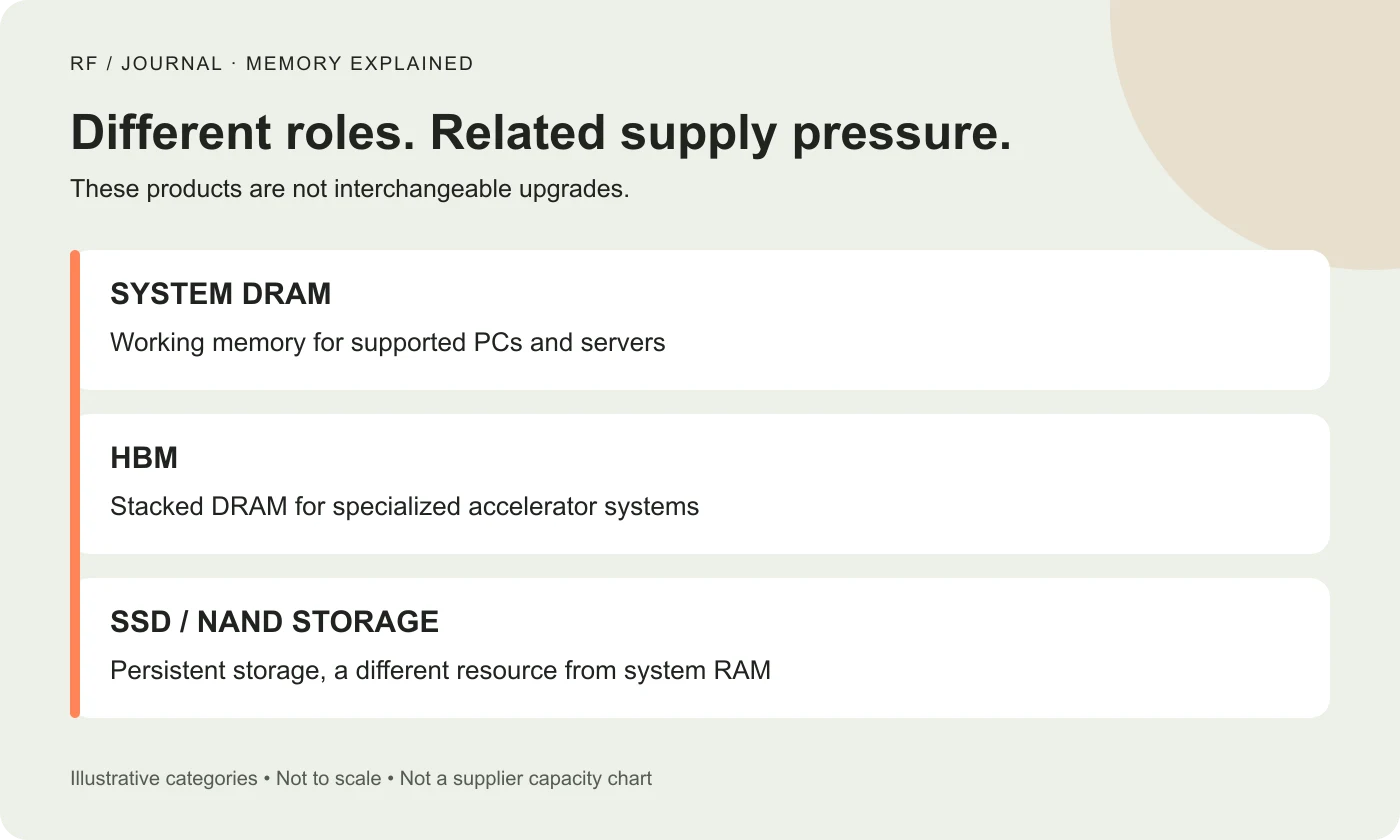
Illustrative product categories, not a scale drawing, supplier capacity chart or compatibility guide.
Why AI demand reaches the ordinary computer buyer
An AI service needs more than an accelerator. The surrounding system also needs memory for the work being performed. As buyers compete for resources, manufacturers decide which products to produce, on which processes and for which customers.
TrendForce's outlook connects the conventional-memory squeeze to stronger server demand and capacity allocation. That matters because the story is broader than “HBM took all the RAM.” Server DRAM itself is part of the demand picture.
The practical implication is that weak demand for one kind of consumer device does not automatically make every memory component cheap. Supply decisions are made across a product portfolio, while buyers need particular specifications at particular times.
Think of a busy workshop accepting several kinds of jobs. Empty space in one finished-goods shelf does not tell you whether the equipment needed for another job is available. It is an analogy for allocation, not a literal description of how a chip factory changes products.
Why manufacturers cannot fix it with an announcement
New capacity takes time to become useful supply. Micron's September remarks describe several planned manufacturing milestones and note that output from new facilities ramps gradually, becoming more meaningful a few quarters after initial production.
A construction milestone, first wafer output and stable availability of qualified finished products are different events. Combining them into “new factory opens, shortage ends” skips the part a buyer needs.
More capacity could help, but demand, the product mix and the pace of qualification also matter. The honest answer to “when will RAM become cheap again?” is that the checked evidence does not provide a reliable date for a particular retail kit.
You can plan around a required delivery date. You cannot build a dependable project schedule around a confidently worded prediction with no supplier commitment behind it.
Why the price on a shelf can tell a different story
A quoted chip price, an OEM contract price and a packaged retail kit are different observations. A store also has its own inventory, promotions, warranty arrangements and stocking decisions.
For a useful comparison, record the exact part number, capacity, module count, specification, seller, availability and total delivered price on the same date. A discounted kit that is unavailable is not a purchase option for a workstation required this week.
Compare equivalent items before concluding that prices doubled or that a bargain proves the shortage has ended. A single module and a two-module kit can look similar in a search result while answering different requirements.
This article does not include a current shopping table because no same-day retailer inventory and price survey was completed. Industry forecasts should not be dressed up as retail testing.
Check whether memory is actually holding back your work
Start with a representative work session. For a fictional design-and-development team, that might include its normal design file, browser workload, development tools and local services. Use the applications together as the team actually works.
Record when the machine becomes slow and what resource information the operating system reports. A snapshot while the computer is idle cannot explain a problem that appears during a build or a large-file operation.
High memory use can be relevant, but it does not diagnose every slowdown. Processing, storage, network delays and application behavior deserve consideration too. Adding RAM to a machine that is waiting on an external service may leave the original frustration intact.
Treat this as a proposed diagnostic exercise, not a claim that we tested your computer. The aim is to describe the constraint clearly enough to choose an appropriate remedy.
Compatibility matters more than the discount
Before ordering, identify the exact computer or motherboard model and consult its supported memory information. Check the DDR generation, module format, capacity limits and any service restrictions.
Samsung's DDR guidance explains that different DDR generations cannot be mixed because their physical and electrical characteristics differ. A cheap DDR5 kit is not an upgrade for a DDR4-only motherboard.
Desktop and laptop memory formats also need the correct platform support. Some computers have memory that cannot be replaced through an ordinary module upgrade. Confirm what your specific device allows before budgeting an installation.
Corsair's RAM FAQ provides compatibility checks and points owners toward supported hardware information. When uncertain, ask the system or memory supplier about the exact configuration.
A practical buying plan for a small team
Split the decisions into work that is blocked, work that is inconvenient and purchases that are optional. Give the blocked task a concrete description and a required date.
For each machine, record its present configuration, upgrade route and proposed replacement. Request a quote for the supported specification rather than asking for “something with lots of RAM.”
Then compare the cost of a compatible upgrade with an appropriate replacement system. Include installation, warranty, setup and the time needed to move the working environment. A lower component price alone does not settle that comparison.
If the machine already handles its workload comfortably, waiting may be reasonable. That is a decision to postpone an unnecessary purchase, not a prediction that prices will fall. If the work is blocked, use confirmed availability and a defined budget rather than trying to identify the absolute bottom of the market.
What this means for website and AI project quotes
Keep the developer's workstation, the customer's device and the production server separate in the plan. They can experience different constraints and have different owners.
Adding memory to a developer's laptop does not automatically allocate more memory to a separately hosted WordPress site. Likewise, a hosting upgrade should be justified by the workload and the provider's actual limits, not a general shortage headline.
For a proposed AI application, separate the hardware or hosting cost from software entitlements, model terms and ongoing operations. Our NVIDIA AI software licensing guide explains that budgeting distinction.
If a supplier proposes a higher fee, ask which resource changed, when the quote expires and what the alternative configuration would affect. A public memory forecast does not validate every invoice.
Give a hardware quote a useful shelf life
A proposal can distinguish the design requirement from an estimate that depends on component availability. Record the quoted specification, date, validity period and permitted substitution process.
A replacement module should not quietly reduce capacity, change the supported configuration or remove a warranty feature that mattered to the buyer. Ask for approval of a material substitution using the concrete replacement specification.
For larger refreshes, discuss staged purchasing and standard configurations with the supplier. These are procurement options to evaluate, not guaranteed savings. The sensible choice depends on actual stock, business deadlines and support needs.
Avoid buying unnecessary inventory solely because a headline sounds alarming. Hardware that does not fit the planned systems is an expensive way to feel prepared.
What to watch next
Look for updated manufacturer outlooks, actual production milestones and price evidence for the exact product you need. Keep forecasts labeled as forecasts and compare like-for-like observations over time.
A forecast of slower price growth is still a forecast of rising prices. A new manufacturing announcement is still different from confirmed stock. Those small distinctions make the discussion less dramatic and more useful.
The next step is a short inventory: what you have, what is supported, which task needs more capacity and when the purchase is required. That will not solve the global memory shortage. It will make your next buying decision considerably less random.
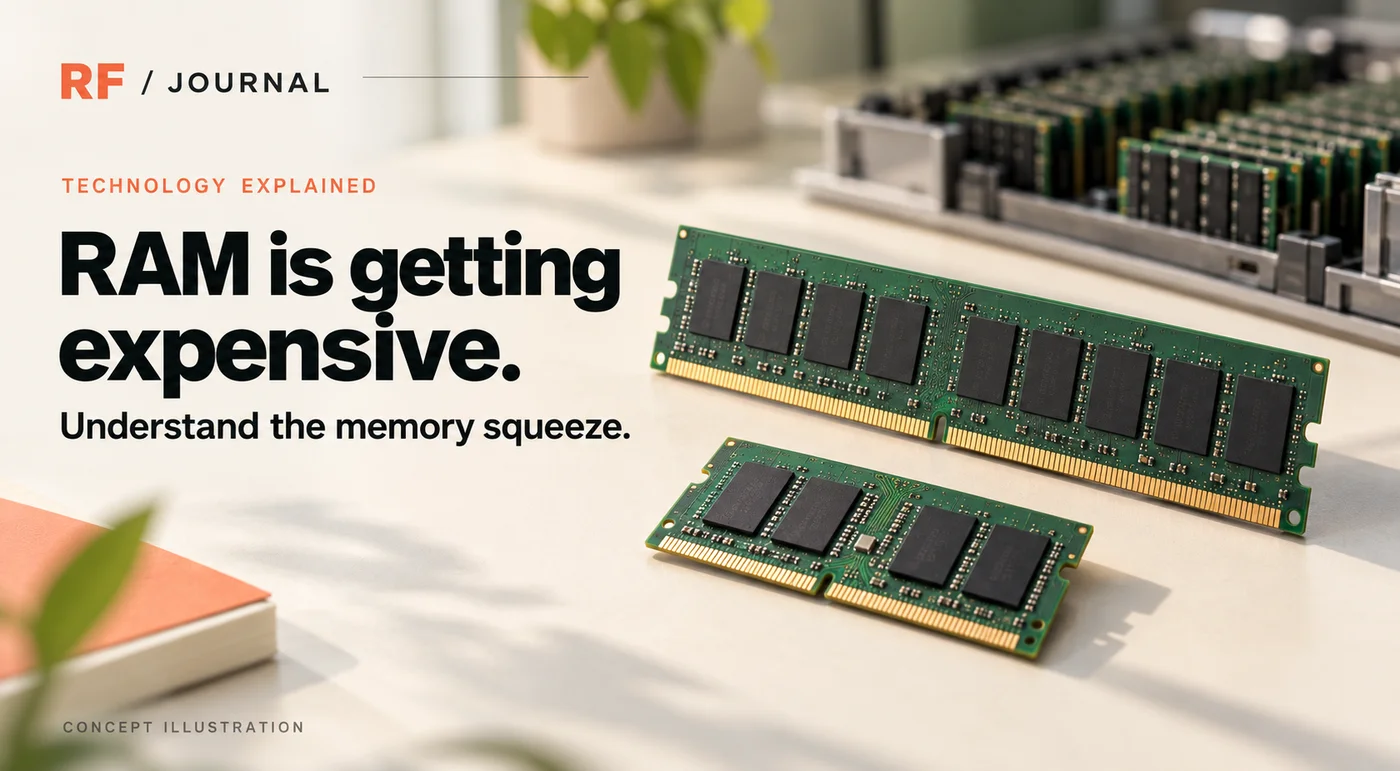
The cover is an AI-generated concept illustration. The inline diagram is an original explanatory graphic. Neither depicts a tested product, a measured price series or a real client deployment.