
A television that shows a strangely relevant advert can turn a quiet evening into a privacy investigation. The difficult part is separating what the device can do, what is enabled and what evidence shows it actually did.
The query “log4j samsung tv security report” appeared in the US Google Trends Technology list checked on 26 October 2026. It reflects attention around a current discussion. It does not, by itself, verify the underlying allegations or identify a vulnerability affecting every Samsung television.
This guide focuses on what readers can verify through official documentation and normal settings. Viewing recognition, voice features, advertising preferences and third-party apps are separate parts of the review. Switching one off does not establish the state of all the others.
Sources were checked on 26 October 2026. We have not inspected the researcher's television, analyzed its firmware or independently reproduced the circulating claims. No conclusion about secret recordings or a particular household's data transmission is made here.
Begin with the evidence, not the loudest headline
A screenshot of a software capability is not the same as a record of that capability running. A record of local processing is not automatically a record of transmission. An advertisement that seems personal does not establish which input caused it.
When reading a device investigation, look for the exact model, firmware version, relevant settings, method and limits. Ask whether another investigator could repeat the observation under the same conditions.
For a consumer checking a television, the immediate task is simpler: identify the model and use its official support material. You do not need to obtain root access or follow an exploit guide to review the settings intended for owners.
Avoid turning uncertainty into certainty in either direction. A provider's documentation describes its stated features and controls; it is not an independent audit of every installed device. An unverified allegation is not a confirmed finding either.
What Samsung documents about viewing recognition
Samsung's US ACR support page describes Automatic Content Recognition as optional, enabled through consent to Viewing Information Services. It says the feature creates signatures for viewing-related information that can include viewing history, device identifiers and an IP address. The page says users can change their choice in Settings and directs them to the notices on the television.
Samsung also states on that page that it does not record or watch the displayed content. That is the company's statement about the feature; it should not be rewritten as independent verification of a particular device's behavior.
For the owner's review, find the relevant notice on the actual television and read the choice it describes. Record the wording rather than assuming that a similarly named option on another model has exactly the same scope.
Microphones and viewing recognition are different controls
Samsung's microphone-switch guide explains the physical switch on supported televisions and an on-screen confirmation of microphone status. The guide is for Canada and notes that models and countries can differ. Treat its illustrations as examples, then consult the manual for your own model.
A Samsung US model manual also documents a microphone switch for the models it covers. Neither document proves that every Samsung TV has the same hardware or menu layout.
Review built-in voice input, the remote and connected audio devices as separate items. Do not assume that one switch controls every device in the room. If voice features are important for accessibility or ordinary use, discuss the practical effect of changing them with the people who use the television.
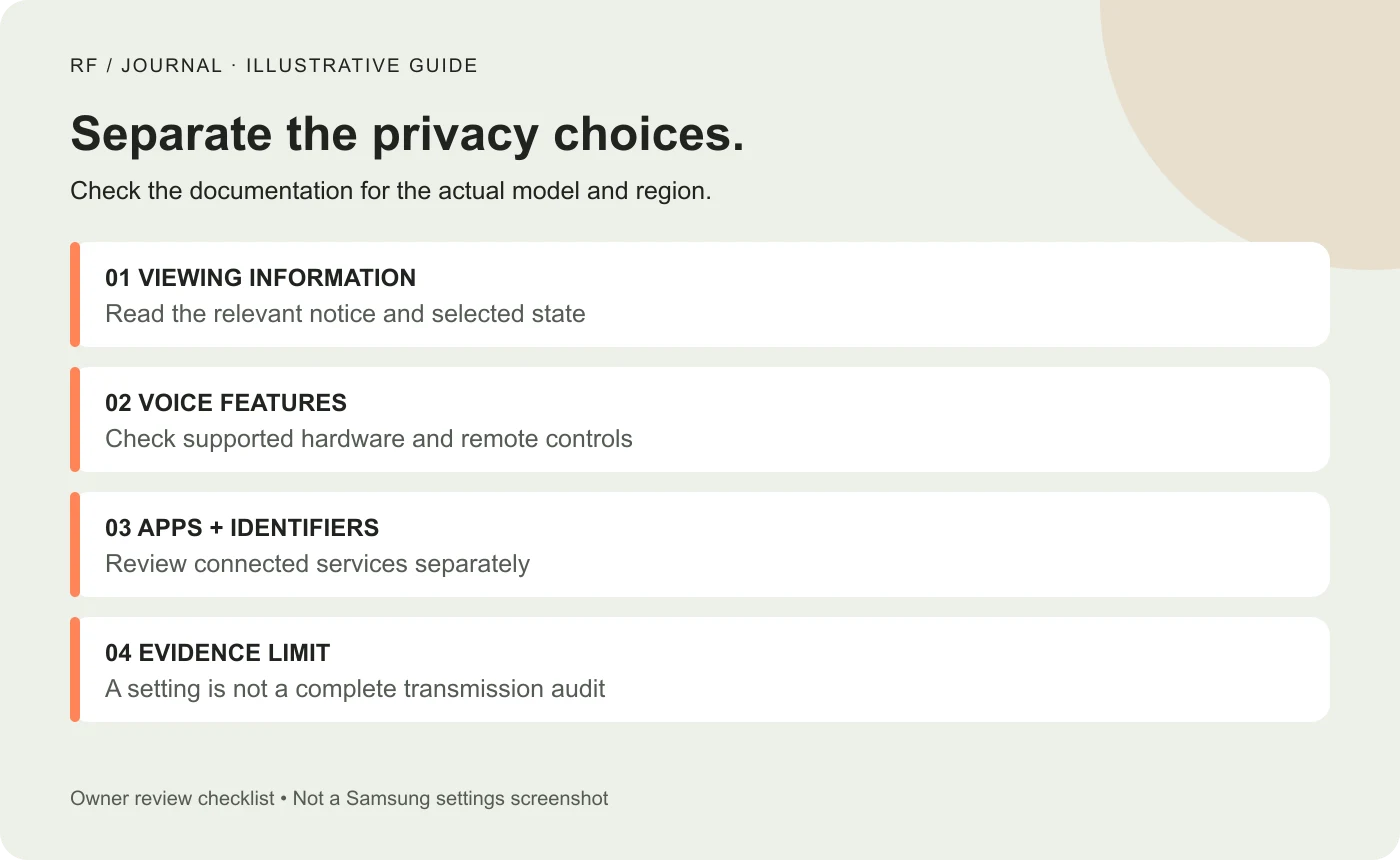
A review checklist, not a Samsung settings screenshot or evidence that any feature is enabled on your television.
Create a short device inventory
Write down the model identifier and software version shown by the television. Identify the country of purchase and the official support page or manual that matches it.
Then list the devices connected to it. A streaming box, games console, soundbar and phone companion app can each have their own accounts and privacy choices. A TV review that ignores those devices may leave the household unsure which setting applies where.
Keep this record private. There is usually no reason to publish a full device serial number, account identifier or image of an account screen to ask a general question in a forum.
For a shared household, agree who will change settings and write down the changes. Two people independently trying different fixes can make the result difficult to interpret.
Review one setting at a time
Open the privacy area and read the available notices before changing a choice. Menu wording can differ, so this article does not provide one universal sequence of buttons for every television.
For each item, record its name, current state, described purpose and the choice you made. Then check what the interface reports after saving. A confirmation message supports a statement about the selected setting; it does not establish what the device did before the change.
Avoid changing unrelated network, account and accessibility settings all at once. If ordinary features stop working, a clear change record makes it easier to restore the intended experience through supported controls.
If the setting is missing or the description is unclear, use the manufacturer's support channel for that model. Do not force instructions from a different year or market onto the device.
Review advertising identifiers separately
Samsung's privacy-inquiries information describes the Personalized Service ID, or PSID, used for viewing and usage information associated with interest-based advertising. It says the identifier can be reset through the television's Settings menu and explains the effect on its previous association.
An identifier reset, a viewing-information choice and an advertising preference are not the same action. Read the description of each before deciding which is relevant to your objective.
Also distinguish changing future behavior from making a request about information already held. Do not assume that toggling a preference deletes all historical information. Use the applicable official privacy-request process if that is the action you intend, and review its scope before submitting personal details.
This article does not determine legal rights for every reader or jurisdiction. Use the privacy notice applicable to your region and the official support route for questions about your account.
A connected app has its own part in the picture
Review the installed applications and the accounts used within them. The television's operating-system preferences do not automatically describe the settings of every streaming service or external device.
For a proposed household review, choose one app at a time. Inspect its account privacy information, personalization controls and any connected-device features relevant to how you use it. Do not claim that changing an app preference changes the television manufacturer's settings too.
If an external streaming device is involved, include it in the inventory rather than treating it as a privacy guarantee. Moving the interface to another box changes the system being reviewed; it does not remove the need to understand that box's data practices.
The goal is a clear map of responsibilities. “The TV is private now” is a much broader claim than “we changed these three settings on these two devices.”
What a normal settings review can and cannot show
A settings review can establish what the interface currently reports and what the official documentation says about the choice. It can also reveal a mismatch between a household's expectations and a feature that is enabled.
It cannot, on its own, prove that no data leaves the device. Nor can a surprising advertisement prove that a microphone caused it. Those conclusions require additional evidence and an appropriate technical method.
If there is a concrete concern, document the observation accurately: what appeared, when it happened, which device and account were involved and what settings were visible. Keep a distinction between that record and a theory about the cause.
Use qualified help for an investigation that goes beyond ordinary supported controls. A viral post is not a reason to weaken device security, install unknown firmware or test another person's equipment.
Lessons for designers building privacy controls
The same confusion appears in websites and connected products. A single switch labeled “personalization” may leave users unsure whether it affects recommendations, advertising, account history or something else.
For a proposed interface, give each choice a concrete purpose and explain its immediate effect. Make the saved state visible and provide a route back to change it. Avoid promising that a broad category of processing has stopped unless the implemented behavior supports that promise.
Test the wording with a task, not just a visual review. Ask whether a user can find the relevant choice, explain what it changes and recognize that it has been saved. Record actual findings only after the exercise has been run.
Our GA4 consent and reporting guide discusses a related website problem: interface choices and reporting behavior need to be explained accurately rather than bundled into a vague assurance.
Lessons for client implementation work
If a client wants a privacy review of a digital product, define the scope before calling it an audit. A UI review, a configuration check and a technical investigation answer different questions.
For a proposed configuration handover, provide a dated record of the components reviewed, the official references consulted, the settings changed and the limitations. Name the person who will revisit the record after a significant update.
Our keyboard accessibility guide adds another useful angle for web interfaces: a choice is only practical if people can reach and operate it. A beautifully written notice beside an inaccessible control is unfinished work.
A useful next step tonight
Find the television's model-specific manual, review Viewing Information Services and voice-related controls separately, and note the choices shown on your own device. Include connected apps and hardware in the record.
Keep the conclusion proportionate to that work. You can say what you reviewed and changed. Until a broader investigation supplies reproducible evidence, avoid claiming that a viral allegation has been proved or that a few toggles have established complete privacy.
AI-assisted editorial analysis. Original images are conceptual, not actual device settings or evidence from a household. No firmware analysis, independent replication or Samsung endorsement is claimed.