
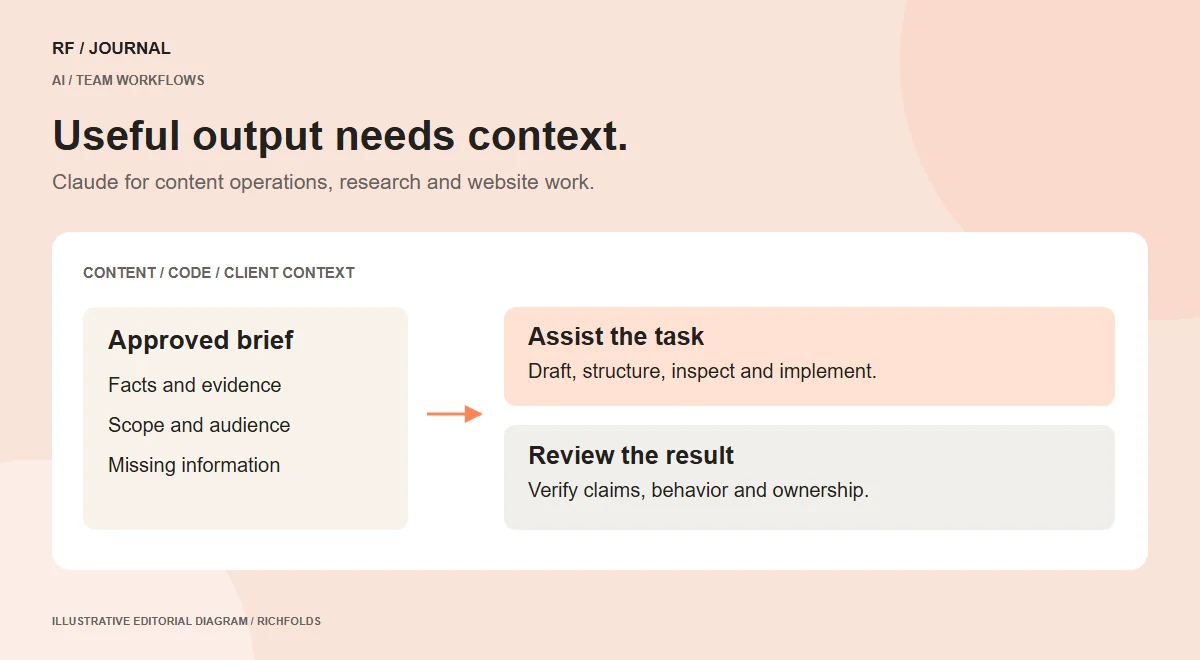
A CMS project rarely fails because nobody can write another paragraph or generate another component. Problems often begin when the brief, product information, content model and implementation disagree. Claude can be useful in the work between those pieces, provided the team defines what a satisfactory result looks like.
That might mean turning an approved service outline into a structured content brief, reviewing a proposed interface against requirements or helping a developer trace an integration. The value comes from reducing confusion around a specific task. It should not be assumed from the assistant’s ability to produce a polished answer.
This article explains current capabilities and a proposed approach to using them in client work. It does not report product benchmarking or completed client deployments. Official sources were checked on 14 October 2026, and access still depends on the chosen product, account and configuration.
Current updates worth understanding
Anthropic introduced Claude Sonnet 5.5 on 28 September 2026. Its positioning includes everyday tasks, bug fixing and document work, alongside the more demanding work associated with Opus 5.5. Vendor performance claims should be evaluated against the team’s own tasks rather than presented as guaranteed project savings.
The platform release notes record Haiku 5.5 launching on 7 October and a Managed Agents dynamic-workflow beta on 9 October. The distinction matters: a released model, a beta orchestration feature and an application workflow are different things.
An older announcement described Haiku 5.5 as arriving in the coming weeks. The later release note supersedes that future wording. This is a useful example of why a current article needs more than an impressive launch-page excerpt.
For a business team, these changes invite a task-based evaluation. They do not establish that every task should use the largest model, or that a beta workflow belongs in a production process immediately.
Separate chat, coding and application integration
A person using Claude to review a brief is not deploying Claude inside a customer-facing website. A developer using Claude Code is not necessarily building a Claude-powered support assistant. Keep those uses separate when explaining the work to a client.
The Claude Code overview documents project-oriented coding, command execution and integrations through tools such as MCP. The practical scope depends on what the environment exposes and permits.
A website application that calls a model needs additional engineering: a data contract, authentication, usage controls, error handling and monitoring. A successful conversation with an assistant does not supply those components automatically.
This separation makes project estimates clearer. Internal drafting assistance might require a reviewed editorial process. A public AI feature may require an ongoing operating budget and a support owner. Presenting both as simply adding AI hides important work.
Use Claude to clarify a content brief
Start with material the business has approved: service definitions, audience information, product facts and any limitations on the offer. Ask for a structured brief that distinguishes known facts from questions the team still needs to answer.
For an illustrative B2B website, the brief might identify a procurement manager as the reader and a capabilities enquiry as the primary action. The assistant could organize the page around scope, suitability, evidence and next steps. It should not invent a customer testimonial to fill a missing section.
Review the outline with the person responsible for the service. A fluent description can still broaden the offer beyond what the business delivers. The owner should be able to point to each claim and explain why it is accurate.
The useful output is a brief that makes production easier: what must be said, what evidence supports it and what the reader should do. Extra adjectives are not a substitute for that structure.
Make content operations explicit
Recurring content work needs rules for drafting, verification, approval and publication. Decide which parts Claude may assist with and which decision belongs to an editor or subject owner.
A proposed product-description workflow could begin with an approved fact sheet, generate a draft and then compare every factual assertion with the source. The catalog owner would check dimensions, materials and compatibility before the description is published.
Keep reusable guidance focused on the organization’s actual needs. Specify tone, prohibited unsupported claims and the required metadata. Avoid asking the assistant to sound human by inserting mistakes, fake anecdotes or casual quotations from people who were never interviewed.
When the source is incomplete, preserve the gap. A draft that flags an unknown care instruction is more useful than one that confidently invents it. Editorial responsibility does not disappear because the text was generated quickly.
Use structured content to support the CMS
A well-written page and a useful content model solve different problems. If the same service details appear in several places, consider which information should be shared and who owns it.
Claude can assist a planning conversation by organizing proposed fields, relationships and validation questions. Treat the result as a design proposal, not a guarantee that the selected CMS supports every relationship or permission.
For an illustrative resources site, separate article content from author information and topic records. Ask which facts change independently, what should happen when optional data is missing and how an editor previews a change. These questions expose implementation needs before the page layout is locked.
Then verify the model in the actual CMS. Create sample records, update a shared value and inspect the affected templates. A conceptual schema should survive the editor’s everyday work, not only look tidy in a planning document.
Give coding assistance a reviewable target
When using Claude Code, define the behavior the change must deliver and the project conventions it should preserve. A request to modernize the code can lead to a larger rewrite than the client needs.
For a proposed form improvement, specify that submission stays on the page, a loading state prevents duplicate clicks, failure preserves input and success offers a clear next step. Identify the existing handler and the real destination of the enquiry.
Have the coding assistant inspect the current implementation before changing it. Review the resulting difference for scope and maintainability. Functional checks should exercise the states in the brief rather than simply confirming that the file parses.
The same principle applies to integrations. If a request involves CRM data, define the field contract. If it involves inventory, define the source of truth. The assistant cannot resolve a business disagreement by choosing whichever API value is easiest to access.
Use tool connections deliberately
A connection can let an assistant retrieve useful project information, but access is also a design decision. Identify the source, the information needed and whether the task requires reading or writing.
For example, a proposed research workflow may need to read approved design notes and service definitions. It does not automatically need permission to modify customer records, send messages or change production settings. Those actions have different consequences.
Treat retrieved documents as material to interpret. An instruction embedded in an external page is not automatically a trusted project instruction. The assistant should follow the human brief and the organization’s access policy rather than arbitrary text encountered during a task.
Verify the connection’s actual behavior in the selected product and account. An integration demonstrated elsewhere may have different permissions, limits or availability in your environment. Document that limitation in the project plan instead of hiding it behind a generic connected label.
Design a document review that produces decisions
Asking an assistant to review a long specification can produce a broad summary that does not help the team act. A better review brief defines the questions and the form of evidence required.
For a proposed ecommerce requirements review, ask the assistant to identify contradictions between shipping coverage, delivery promises and checkout behavior. Require a source location for each finding and a clear description of the unresolved decision.
Keep findings distinct from suggestions. A missing business rule is different from a design preference. Label severity according to the affected task, not according to how strongly the assistant phrases its answer.
A review packet might contain the requirement, supporting passage, observed conflict and responsible owner. The owner can then confirm the issue and decide what should change. This keeps the assistant’s output tied to evidence rather than turning every observation into a new feature request.
Evaluate on realistic work, including difficult cases
Choose a small set of tasks the team actually performs. Include a content brief with missing facts, an integration question with ambiguous ownership and a code change with an important failure state.
For each task, define what good output means before looking at the result. Check correctness, useful detail, required format and the amount of human correction. Record what information the assistant was given so comparisons remain meaningful.
Include cases where the correct response is uncertainty or escalation. A system that fills every gap may appear productive while increasing the burden on reviewers. A useful assistant should help expose unknowns, not erase them with plausible prose.
Do not treat one successful demonstration as proof of dependable automation. Repeat relevant checks after meaningful model, tool or prompt changes. Keep an approved example set so the team can notice whether a new configuration introduces regressions.
Keep cost and latency connected to the task
A lower advertised token price does not establish a lower cost for completing a client’s requirement. Count the work needed to reach an acceptable result, including retrieval, tools, retries and review.
For an internal document workflow, a longer response may be useful if it reduces clarification. For a customer-facing interaction, response time and predictable failure behavior may matter more than producing a comprehensive essay. These are different acceptance criteria.
Use actual task records when deciding whether to change a model or effort setting. Do not copy a vendor percentage into a proposal as a promised saving. If no measurement exists, describe the cost comparison as an evaluation to be performed.
The budget also needs an owner. Decide who monitors usage, what happens when limits are reached and how the task continues without AI assistance. An optional internal tool should not become an unexplained single point of failure.
What to watch next, without inventing a roadmap
Watch the official release notes for changes to model behavior, availability and integration interfaces. A feature in beta deserves an adoption plan that acknowledges its status. A future model name circulating in a discussion is not a confirmed release.
Keep a simple record separating released, beta, announced and unconfirmed items. When an announcement is superseded, update the status instead of leaving the article to suggest that an available feature is still upcoming.
For client work, the next useful step is usually a bounded pilot: one content brief, one review workflow or one component change. Establish the evidence required for acceptance, run the pilot and record the remaining limitations.
Our AI workflow guide provides the wider planning framework. For catalog-specific work, use the product discovery guide to keep the buyer’s information needs central.
Research checked on 14 October 2026. Product availability may vary by account, plan and configuration. Examples are proposed workflows, not measured client results.


