A performance report is useful when it leads to an improvement for visitors. Core Web Vitals describe how quickly the main content appears, how promptly a page responds to interaction and how stable its layout remains. They provide a starting point for discussing performance across CMS websites and stores. They also need a measurement process that makes comparisons meaningful.
Understand the three signals
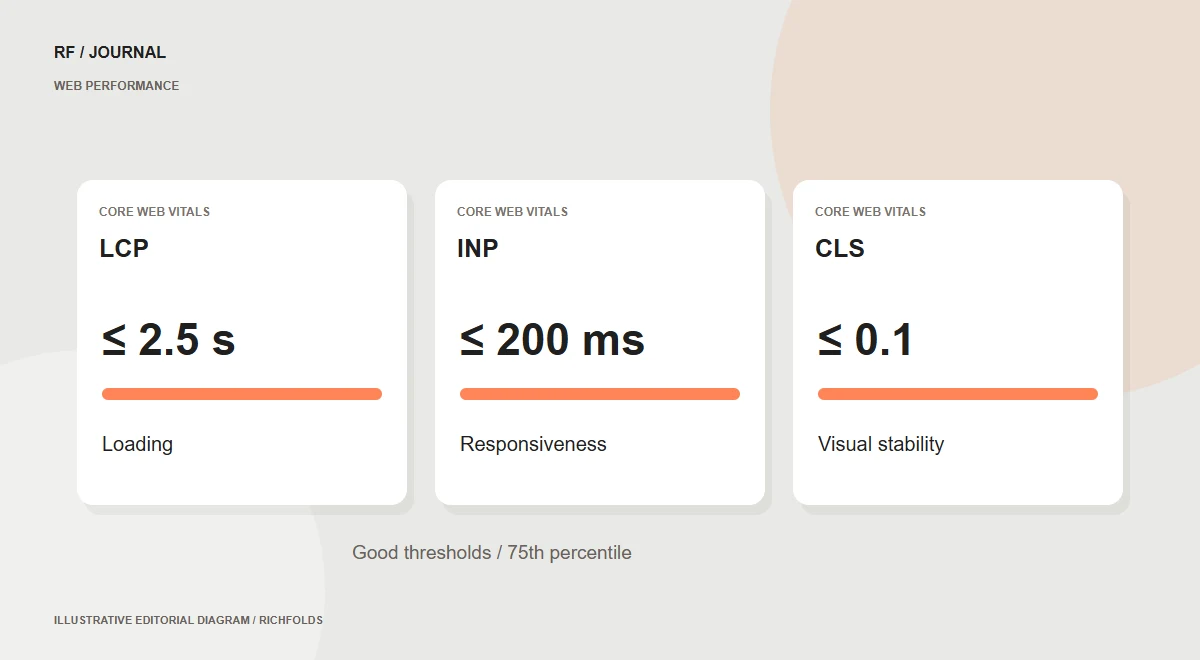
Google’s current good thresholds are LCP at 2.5 seconds or less, INP at 200 milliseconds or less and CLS at 0.1 or less. Assessment uses the 75th percentile of page loads, considering mobile and desktop experiences. These signals do not describe every aspect of site quality, and one lab score does not replace the underlying measurements.
Separate investigation from field evidence
A controlled test helps reproduce a problem and inspect contributing assets or scripts. Real-user data shows behavior across the devices and connections people actually use. If field data is limited or unavailable, say so. Repeat lab tests with a documented configuration and avoid treating one unusually fast or slow run as the whole story.
Inspect representative journeys
Include service pages, articles and, for stores, categories, products and checkout. Look for oversized first-view media, unnecessary scripts, delayed fonts and shifting layouts. Check whether a feature creates work elsewhere, such as fetching every hidden gallery image or rebuilding a large interface after each interaction. The homepage alone rarely represents the whole site.
Prioritize causes you can verify
Connect each fix to an observation. Compress a large illustration, defer a hidden gallery requested before use or reduce a script blocking a measured interaction. Keep essential first-view content available promptly. After implementation, verify the intended functionality and compare measurements under the same conditions. Record the changes so later regressions can be investigated.
Make performance part of delivery
Establish baselines for important page types and repeat checks when adding features, media or integrations. Assign a person to review regressions. Enquiries and sales need separate measurement; a smaller download is not a proven conversion increase. The goal is a dependable process that keeps a useful experience fast as the site evolves.
A real studio asset check, with a limited conclusion
On 19 October 2026, we checked the saved source and published derivative for the RichFolds n8n article cover. The source PNG is 1,714,258 bytes. The final WebP is 66,590 bytes at 1,400 × 770 pixels. These are file-size and image-metadata observations from our own editorial asset records. The derivative was resized as well as encoded, so the difference must not be attributed to WebP alone.
The practical decision is to deliver the lighter derivative where it supplies adequate detail, retain the editable source offline and verify the image at its intended display size. A smaller file is useful evidence about that asset. It is not a measured LCP improvement, a Core Web Vitals pass or proof that visitors bought more.
Use this reproducible audit sequence for an important page:
- Record the exact URL, device, connection setting, cache state, date and tool version. Keep logged-in and public visits separate.
- Identify the actual LCP element in a browser performance trace. Do not assume the largest file is the LCP element.
- For that image, inspect its selected source, intrinsic dimensions and displayed dimensions. Check whether the browser downloads a much larger variant than the layout needs.
- Make one targeted change. Preserve the image’s intrinsic aspect ratio and reserve layout space. Check both the first view and lazy-loaded content.
- Repeat the same test configuration, inspect more than one run, and verify forms and navigation. Keep the raw measurements instead of publishing only a favorable score.
If the interaction delay is the problem, investigate the relevant main-thread work rather than repeatedly compressing images. If a late banner shifts the page, reserve appropriate space and inspect when it appears. Different symptoms need different evidence.
Our Search Console audit on 19 October showed no Core Web Vitals field data for RichFolds. That is an evidence gap, not a pass or a failure. Lab investigation can still guide fixes while field data is unavailable. For the delivery details, use the responsive image guide; include the keyboard journey check when verifying that performance work preserves usable controls.
Updated 19 October 2026: added a practical example and implementation checks. Examples are illustrative unless a specific studio measurement is identified.
Continue reading
- How we reduced the Services page’s initial download by 89%
- A practical migration plan for CMS and ecommerce websites
Sources & further reading
Published 13 October 2026. Check current platform documentation before implementation.