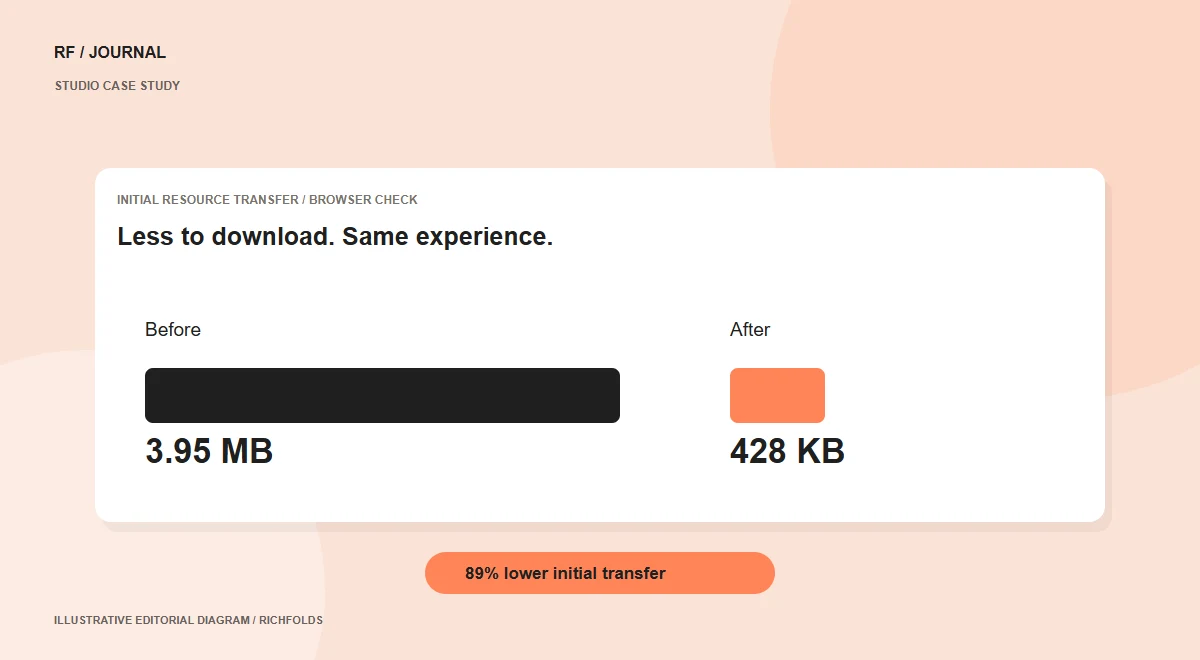
RichFolds’ Services page combines animated backgrounds, platform illustrations and an interactive tab showcase. The visual presentation was working, but the page downloaded more than it needed for its first view. In an October 2026 browser network check, initial resource transfer fell from approximately 3.95 MB to 428 KB after a focused optimization pass.
Studio case study: work on RichFolds’ own website. Measurements are from an October 2026 browser check, not a client sales experiment.
Find what loads before it is needed
The most obvious issue was an animated BigCommerce illustration of roughly 2.9 MB. It downloaded even while its service tab was hidden. Other illustrations also contributed to the first visit. We inspected resource requests rather than assuming the visual design was the problem. That revealed an opportunity to keep the experience and change when files are requested.
Compress assets and preserve interaction
We produced lighter WebP illustrations. The animated BigCommerce asset was reduced to around 1.1 MB while retaining motion. The tab implementation now loads the selected illustration on demand. A visitor viewing the first service no longer downloads every other platform image immediately. We checked each deferred illustration after selecting its tab.
Reduce unnecessary background work
Fonts were hosted locally, removing external font stylesheet requests from the theme’s loading chain. Selected canvas animations pause when their sections are offscreen or the document is hidden. LiteSpeed continues to manage page caching, and browser caching was enabled for static assets. A theme settings panel exposes cache status and a manual clear action.
Be precise about the result
The 89% figure describes reduced initial resource transfer in our browser check. It does not mean every visit is 89% faster, prove a field Core Web Vitals result or establish a conversion improvement. Timing depends on caching, connection, device and other scripts. A fuller evaluation would repeat controlled tests and inspect real-user measurements over time.
Apply the lesson elsewhere
Measure, identify unnecessary initial work, optimize it and confirm that interactions still function. Hidden galleries, inactive tabs and below-the-fold media can create similar opportunities on other CMS and ecommerce platforms. Keep essential first-view content available promptly. Test deferred content when visitors request it, and keep a record of the measurement conditions so later comparisons remain meaningful.
Continue reading
- Core Web Vitals: a practical action plan for business websites
- Building a contact form that keeps the conversation moving
Sources & further reading
Published 13 October 2026. Check current platform documentation before implementation.