

Your photographer delivers a beautiful image. Your CMS accepts it. Your product card displays it at the size of a postage stamp. Somewhere in that perfectly ordinary sequence, a visitor's phone may end up downloading a file intended for a large display.
Image optimization begins with the image the browser actually requests, not the size of the box you see on the page. The practical job is to match the resource to the display, preserve useful detail and load each image at an appropriate time. Compression helps, but it cannot fix every mistake around selection and delivery.
This guide gives business owners, designers and developers a shared workflow for CMS and ecommerce websites. It uses fictional product examples rather than claimed client results. Technical documentation was checked on 17 October 2026. No particular file format, plugin or score guarantees a faster site for every visitor.
Separate the original, the displayed size and the requested file
Keep a high-quality original as your source asset. It is useful for future crops and exports. That does not mean every visitor needs to download the original.
The displayed size is the space the design gives the image. The requested file is the resource the browser chooses. Those are different quantities. Shrinking an image with CSS can make it look smaller without changing the bytes downloaded.
For a fictional camera store, one photograph might appear as a small recommendation card, a larger product-page image and a zoomable detail. Each placement has a different job. Sending one large resource everywhere is easy to implement, but the visitor pays for that convenience through unnecessary transfer and processing.
Make an inventory of placements rather than an inventory of filenames. List where the image appears, its approximate display range, the detail customers need and whether it is visible immediately. This gives the developer requirements that are more useful than “please compress all the pictures.”
Find a representative problem before installing another plugin
Choose a small set of page types: the homepage, a listing, a product or service page and an article. Inspect the largest visible images and a repeated card component. These samples often reveal whether the issue comes from content entry, a shared template or a particular media treatment.
For each sample, record the page, image URL, requested dimensions, transfer size and display context. Include the testing device or viewport and whether the cache was warm. Without that context, two screenshots of a performance score are not a reliable before-and-after comparison.
Ask whether the browser is loading the expected derivative. A CMS can generate smaller sizes while a custom template continues to request the original. In that situation, re-exporting the source image may help less than correcting the template.
Keep the first investigation focused. You do not need to rewrite the entire media library to discover that a single shared card component ignores its smaller image options.
Use responsive selection to match the design
An image can offer multiple candidates so the browser can choose a suitable resource. Google's responsive-image guide explains how srcset and sizes work together: the candidates describe available image resources, while the sizing information helps the browser understand their expected display size.
The useful design handoff is a description of the component's behavior. Does the card fill the viewport on a phone? Does it become one of three columns on a larger screen? Is there a maximum content width? Those rules affect the image selection, not just the visual layout.
Avoid copying a generic sizing rule into every image. A full-width hero, an article cover and a thumbnail in a narrow sidebar do not occupy the same space. A developer should connect the markup to the actual component and check the chosen resource in the browser.
For a CMS team, the maintenance question matters too. When an editor replaces an image, does the publishing workflow retain those responsive choices? A one-time manual fix that disappears at the next upload is a demonstration, not a durable content system.
Treat crops as a design decision
Responsive file selection and art direction solve related but different problems. One concerns the resource suitable for a display size. The other concerns what the picture should show when the composition changes.
Imagine a wide photograph of a camera on a desk. On a narrow phone card, blindly cropping the center might cut off the lens or leave most of the image as empty background. A more intentional crop can preserve the useful subject without requiring a tiny wide scene inside a tall frame.
Document the focal point and check actual crops in the interface. Do not approve the photograph only in the media library, where it appears uncropped and comfortably large. The card is the product your reader sees.
For product imagery, preserve the detail needed to make a decision. Fabric texture, connector shape, control labels or a useful scale reference may matter more than a small reduction in file size. An aggressively compressed photo that conceals the material is not a successful ecommerce optimization.
Give the first important image a clear loading path
The large image near the start of the page can influence how soon the page feels useful. It should be discoverable without waiting for an unnecessary sequence of scripts, sliders and effects.
The Largest Contentful Paint optimization guide explains that delays can arise before the request, during transfer and before rendering. A smaller file cannot remove a delay caused by hiding the image until an animation script completes. Diagnose the actual loading path before celebrating a smaller export.
Do not blindly lazy-load the likely LCP image. Lazy loading is useful for images farther down the page; it can delay a resource that should appear immediately. Apply loading behavior to the placement, not to every image with the same blanket setting.
Likewise, do not mark every picture as high priority. Prioritization is useful only when it distinguishes the small number of resources that deserve early attention. Your tenth product thumbnail does not become more important because the plugin has an enthusiastic checkbox.
Reserve the space the image needs
A page should know where an image belongs before the download finishes. Give the component a consistent aspect ratio or the image appropriate dimensions, and confirm how that behaves at different breakpoints.
This is partly a content-design decision. A listing of portrait product photos and a landscape article cover may need different treatments. Decide whether the image fits inside the frame or fills and crops it. Otherwise, the developer ends up inventing a rule while trying to stop cards jumping around.
Test with a slow load rather than assuming your fast office connection represents every visitor. Watch whether surrounding headings, controls or cards move when the image arrives. A stable placeholder should preserve the intended space without looking like a broken asset.
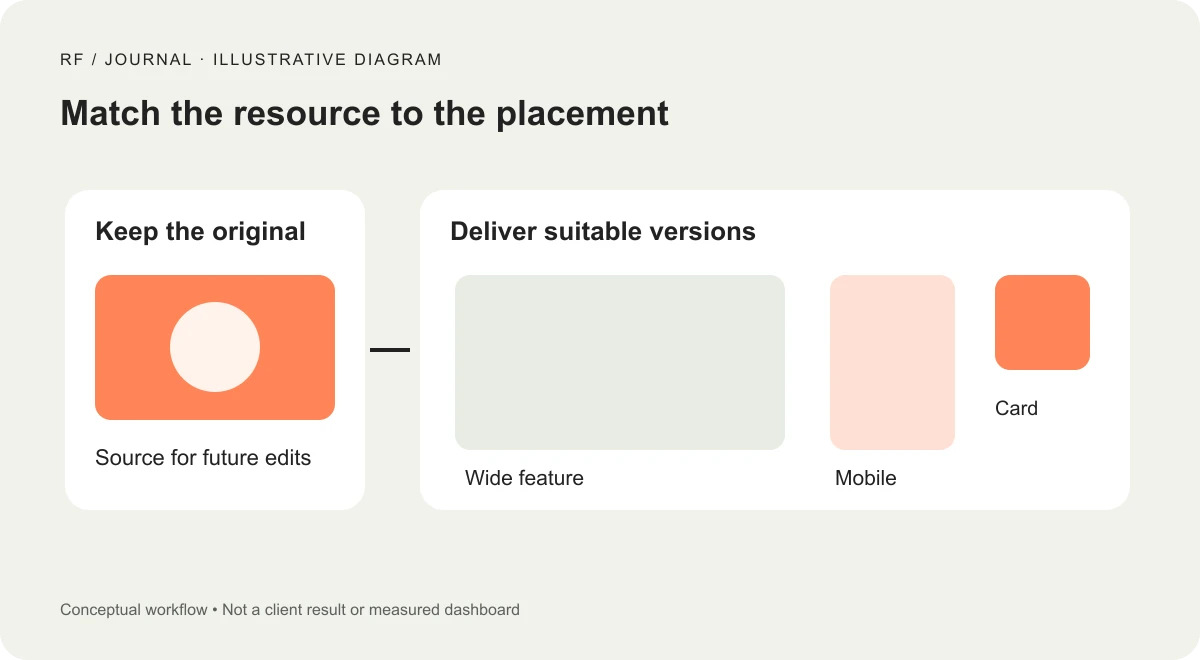
Illustrative workflow, not a client result or measured dashboard.
A fictional camera-store improvement plan
Suppose a camera retailer uses one editorial photo in a homepage feature, an article cover and related-article cards. This example is a proposed workflow, not an observed RichFolds deployment.
The team first lists those three placements. The homepage needs a deliberate wide crop. The article needs enough detail to communicate the subject. The cards need a smaller derivative and a crop that keeps the camera recognizable.
The developer checks which resource each placement requests on a narrow and a wide viewport. The editor confirms that replacing the original still produces the intended derivatives. The designer checks the lens, controls and framing at the actual card size rather than judging only the full-screen source.
Finally, the team compares repeatable page loads under recorded conditions. They retain the requested URLs and transfer observations alongside the visual review. Only then can they describe what changed. Reduced image transfer is a measured asset result; a claim about better conversion would require separate evidence.
Choose formats and quality through comparison
Export a few candidates from the same original and compare them at the intended display size. Photographs, transparent graphics, sharp text and diagrams can respond differently to encoding choices. Avoid treating one quality slider value as a rule for the entire website.
Look closely at the details that carry meaning: small lettering on a device, hair against a background, fabric seams, subtle gradients and edges around cutouts. Then inspect a thumbnail, because a technically sharp full-size export can still make a weak card.
Consider transparency and fallback needs as part of the delivery plan. Keep the original available for future edits, but publish a resource suited to the placement. Record the export approach so a second editor can repeat it without reverse-engineering a mysterious file named final-optimized-v9.
Do not convert assets merely to collect a fashionable extension. A change is useful when it improves the delivered experience without losing the visual information the page needs.
Avoid optimizing the same picture three times
CMS image processing, an optimization plugin and an image CDN can overlap. Before adding another service, establish which layer currently resizes, compresses and delivers the asset.
Ask who owns quality settings and how cache invalidation works after replacement. Confirm whether a transformed URL comes from the latest original. If editors repeatedly see an old image, the answer is not necessarily to upload a fourth copy with another suffix.
Define a replacement workflow. It should explain how to update the source, regenerate or request derivatives when required, clear the relevant cache and verify the public page. Keep access permissions appropriate to the editorial role; a content update should not require someone to guess at server settings.
This connects to our Core Web Vitals action plan, which places image work within the wider page experience. Image improvements should be evaluated alongside server response, fonts, scripts and interaction behavior.
Make the release test small and repeatable
Use a checklist that another person can repeat. Open the selected page at the recorded viewport. Verify the visible crop and the requested image resource. Check the first important image and at least one deferred image. Confirm that alt text still describes the meaningful content and that a missing asset does not remove essential information.
Repeat the load under consistent conditions, preserving enough observations to understand variation. A lab run can help identify a regression, but it is not a substitute for actual visitor data when making a real-user performance claim. Keep the distinction explicit in your report.
After deployment, inspect the anonymous public page, not just the editor preview. Caches, delivery transforms and templates can produce a different result outside the admin session. Also check a newly uploaded image so the future publishing workflow receives the same attention as the files you manually repaired.
Give editors a useful image rulebook
Keep the rulebook short enough to use. Specify the intended source quality, common crop ratios, focal-point checks, naming convention, alt-text expectations and replacement process. Include actual component examples rather than a vague instruction to upload “web-ready” images.
Assign ownership of exceptions. If a product needs a detailed zoom view, the editor should know whom to ask instead of quietly sending the largest original to every card. If a campaign needs a new composition, update the delivery requirements along with the design.
Start by fixing one reusable placement, such as the article card or product listing. Verify it visually and technically, then extend the approach. The aim is a website that chooses and delivers the appropriate image every time an editor publishes, with enough detail left for customers to understand what they are looking at.
Visuals: AI-generated cover with fictional objects and interfaces; original illustrative workflow diagram. No client screenshots or measured results are depicted.


