A shopper adds a shirt on a phone, gets interrupted and comes back later on a laptop. If the cart is there, the store feels pleasantly familiar. If a different cart appears, the customer needs an explanation, not an enthusiastic announcement about seamless commerce.
Shopify's October update expands what Shop can do while customers browse, including cart continuity across devices for eligible Shop users. For merchants, the useful next step is to understand the conditions and test the return visit with representative account and cart states.
This article explains the documented capability and proposes a practical acceptance plan. Sources were checked on 23 October 2026. The examples are fictional; no client store, real payment or measured sales improvement is claimed.
What Shopify announced
The 5 October 2026 changelog describes recognizing Shop users before purchase, cart sync across devices, quicker sign-in and a personalized Shop Pay button. It also describes cart continuity between the Shop app and a merchant storefront.
Those are vendor-described capabilities, not a forecast of the result for your store. An announcement's conversion language should not be copied into a proposal as a guaranteed sales uplift.
The business question is more specific: Can an eligible returning customer recognize the intended cart, check its current contents and complete the right order without avoidable confusion?
That question connects storefront presentation with account state, product availability and checkout. A test that stops after seeing a payment button leaves much of the journey unexplored.
Recognition, sign-in and payment are separate states
A customer can encounter a personalized experience without having completed an order. A merchant should therefore distinguish recognition, account access and payment authorization when explaining what the interface is doing.
Shop's sign-in documentation describes recognition across browsers and sign-in features that can appear during browsing. It also explains that the configuration depends on whether Shop Pay is active.
Inspect the actual customer-account setup before promising a particular route. Do not treat a familiar email address, a visible Shop prompt and a successfully authorized purchase as equivalent evidence.
For the project specification, name the starting state in ordinary language. “Customer recognized through the supported Shop flow, with an empty destination cart” tells the tester more than “returning user.” A person can return under several different conditions.
Read the conditions before writing the test
The current Shop customer-experience guidance requires a Shop account and a supported recognition or sign-in condition for cart continuity. It says existing carts are not combined, channel availability still applies and a regional change can limit continuity.
Those limits belong in the acceptance plan. A missing synced cart is not automatically a defect if the customer or destination does not meet the documented conditions.
Use the Help Center as the current reference, then verify the real environment. Theme customizations, account configuration and the exact customer route can affect what the reviewer sees. Avoid borrowing another merchant's screenshots as proof that your implementation is complete.
Also distinguish a cart from an order. A cart is an intended purchase that still needs review. Its appearance is not evidence that stock has been reserved, a price is guaranteed or a payment has been authorized.
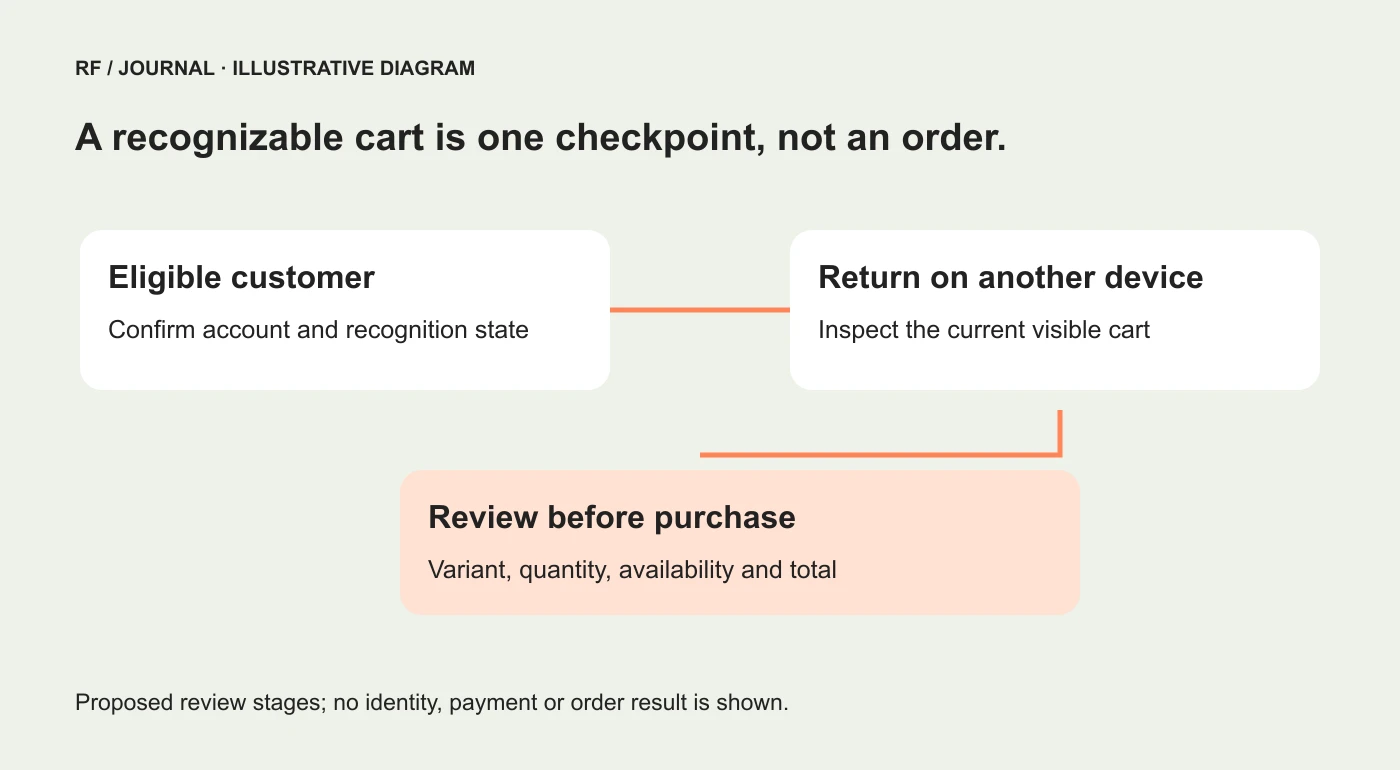
Proposed review stages, not a screenshot of a Shop account or a record of customer activity.
Define the empty-cart baseline
Begin with an uncomplicated case: one authorized test customer, one available product and a destination without a competing cart. Use synthetic details and a test method agreed with the merchant.
Write the expected result before opening the second device. Which product variant and quantity should the reviewer recognize? Where should they inspect the cart? What should happen before proceeding to checkout?
Record the devices, browsers, account conditions and region used for the exercise. The purpose is reproducibility, not gathering every possible personal identifier. Keep private account and payment details out of shared evidence.
Then follow the actual supported route. Do not quietly replace a failed customer path with an administrator shortcut just to produce the desired screenshot.
If the baseline does not behave as expected, inspect the documented eligibility and starting state first. Adding another synchronization app before understanding the native behavior may create more dependencies without answering the question.
Give an existing destination cart its own scenario
This is an important case because the customer may already have been shopping on the second device. Do not assume that two carts should merge into a larger one.
For a fictional test, the phone cart contains a coral shirt while the laptop already has a stone-colored shirt. Record the intended account conditions and review which cart remains available. Compare the observed result with the current documented rules.
The storefront should make the visible contents easy to recognize. Show the selected variant, quantity and current price clearly. Product photography helps, but two colors with almost identical thumbnails still need meaningful labels.
Do not hide uncertainty behind a generic “Your cart is ready” message. If the customer is looking at a cart, let the actual contents do the explaining. Claims about a recovered or combined cart need to match the implemented behavior.
This scenario is also useful for customer service. A support agent should know to ask about the devices and the visible items rather than immediately assuming that products were deleted.
Review the returning product, not just the returning cart
Time passes between visits. The product may have changed availability, its presentation may have been updated or a promotion may no longer apply. Your test should inspect the current purchase details before completion.
Choose a representative variant and check the label on both the product page and the cart. If size or color is part of the decision, the customer needs that information without decoding an internal SKU.
Then inspect the route for an item that cannot currently be purchased in the destination. The customer should receive an understandable outcome rather than a misleading impression that seeing the item guarantees it can be ordered.
Keep channel and regional conditions explicit. Do not change a live catalog or a real customer's location just to provoke a result. Use an appropriate test environment or an authorized test arrangement with the merchant.
For broader product information work, our Shopify product discovery guide explains how accurate catalog data supports the buying journey. Cart continuity cannot compensate for a product page that never described the item clearly.
Use a small scenario matrix
The following is a proposed plan, not completed testing:
| Starting condition | What to inspect | What not to assume |
|---|---|---|
| Eligible customer, empty destination cart | Recognizable variant and quantity | That every visitor is eligible |
| Destination already has products | Which cart remains and how it is presented | That carts will merge |
| Customer without a Shop account | Normal storefront and checkout route | That native Shop continuity applies |
| Product unavailable in the destination | Clear current availability outcome | That a visible cart guarantees purchase |
| Customer changes region | Documented limitations and understandable messaging | That continuity is identical everywhere |
Use the cases that matter to the store. A small domestic catalog does not need the same test matrix as a multi-region store with different product availability.
At the same time, keep a normal guest route in the plan. An improvement for eligible Shop customers should not become an excuse to overlook people using another legitimate checkout path.
Explain customer choices without turning them into marketing consent
Account recognition, saved shopping information and marketing permission are different matters. Do not label someone a newsletter subscriber merely because the storefront recognizes them.
Shopify's sign-in guidance describes how associated data is collected when the relevant Shop features are used. Review the current settings, disclosures and customer choices for the intended audience with the people responsible for privacy. This article does not determine legal requirements for every region.
For implementation work, keep the configuration record specific: which account type is active, which sign-in features are enabled and what the customer sees. Changing a payment feature to remove a prompt can have wider effects, so inspect the current documentation before suggesting a quick switch.
Customer-facing copy should explain the action at hand. A short, accurate label is usually more helpful than a paragraph claiming the store knows exactly who the visitor is and what they want.
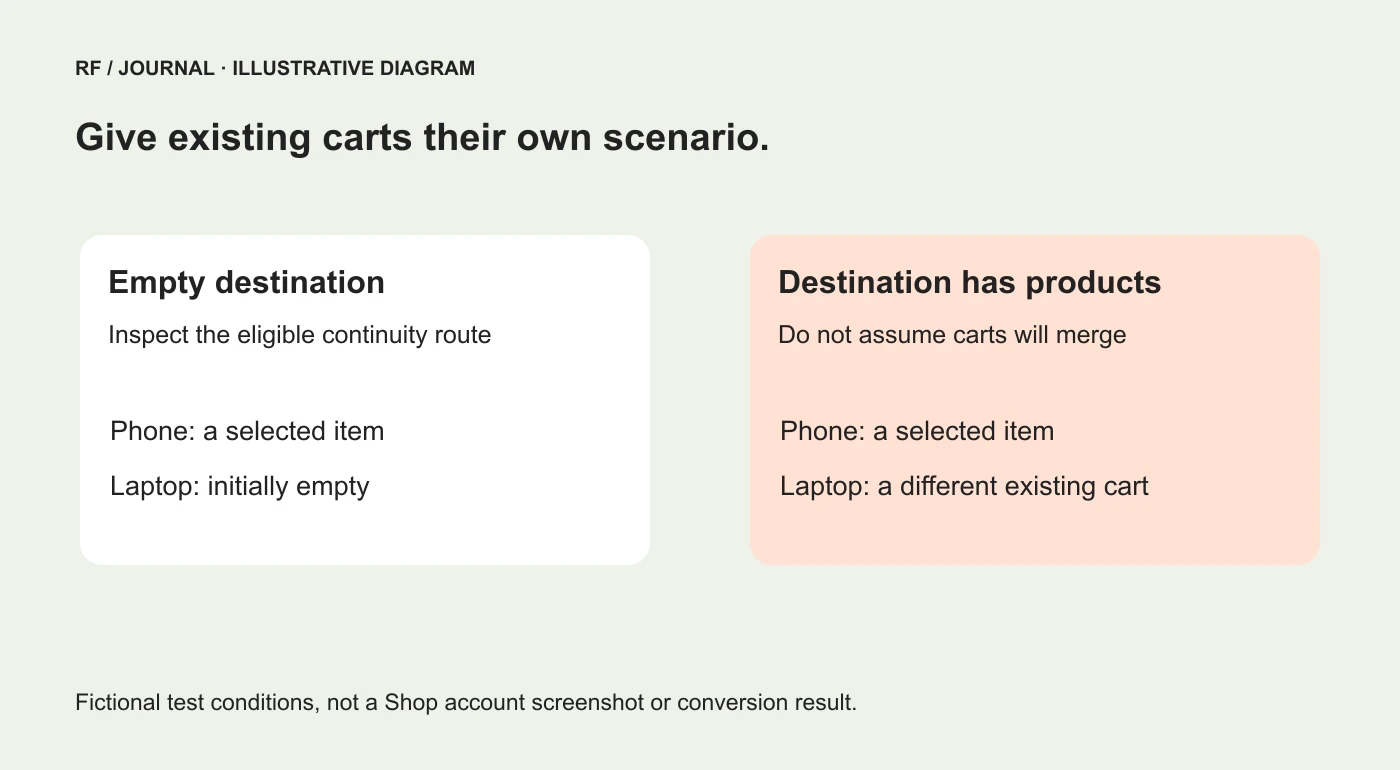
Fictional cart states for planning. No customer identity, payment information or measured outcome is shown.
Check the completed order only through an authorized test
A visible cart is one checkpoint. When the project requires payment and order verification, use the provider's supported test process and agree on what remains simulated.
Compare the intended variant and quantity with the recorded order, applicable shipping choice and confirmation. Include downstream fulfillment only when it is part of the authorized test scope.
Do not create a real charge or send a parcel simply because the tutorial says to check the final step. The merchant should control the environment and the consequences of the test.
If subscriptions are involved, the recurring arrangement needs its own review. Our subscription customer-journey guide explains why the first order and the next renewal are separate questions.
Measure a useful outcome without inventing attribution
After implementation checks, the merchant may want to understand whether returning shoppers complete more purchases. Define the eligible population, comparison period and measurement limitations before interpreting the result.
A cross-device journey is not automatically an exact person-level attribution record in your analytics tool. The storefront feature and the reporting configuration answer different questions.
Keep functional evidence separate from commercial evidence. “The test cart appeared under the documented conditions” is an implementation result. “This feature caused a revenue increase” requires a different design and stronger evidence.
For the measurement side, start with our GA4 experiment setup guide. Avoid comparing two periods that also changed advertising, discounts and product availability while assigning the entire difference to cart sync.
Give support a clear explanation
Write a short internal note covering the expected eligible route, the existing-cart limitation and where to escalate unexpected behavior. Include a way to capture the product and variant without asking for sensitive payment details.
Keep the note dated and linked to the current Help Center guidance. A feature can evolve while an old support script remains stubbornly confident.
Start with one empty-cart scenario and one existing-cart scenario. If the team can explain both clearly, it has a useful foundation for reviewing a returning customer's experience across devices.
AI-assisted editorial guidance. Original images are illustrative, not client evidence. Official documentation checked 23 October 2026.