
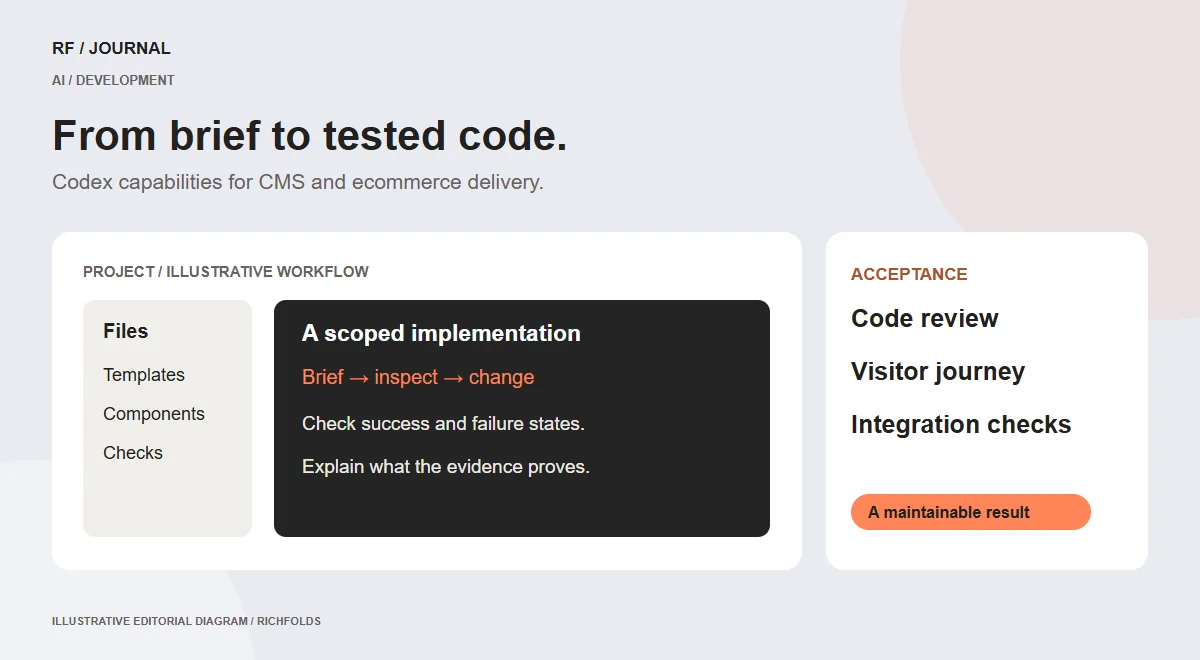
Codex becomes useful in website work when a request turns into a change someone can inspect, test and maintain. Generating a component is one part of that process. Understanding the existing project, preserving its behavior and showing what actually changed are often the harder parts.
For a business commissioning a CMS site or an online store, the practical question is whether a coding agent can help the delivery team produce better work within the agreed scope. The answer depends on the project context, available tools and review process. A convincing code sample alone does not establish that an integration is ready for customers.
This guide sets out a proposed RichFolds delivery workflow. It is not a benchmark or a claim that every client project already uses Codex. Current product information was checked on 14 October 2026; account access and client configuration still need verification before implementation.
What is new, and what that changes
The official changelog records GPT-6.1 Sol becoming available in Codex and ChatGPT Work on 29 September 2026. It also records an Ultrafast mode update on 8 October, with plan and workspace restrictions. These are released capabilities, not promises about a future launch.
For a project team, the useful implication is a reason to review model choice and execution speed against its actual workload. Faster token generation does not automatically make a website project faster overall. Time spent correcting requirements, waiting for integrations or investigating failed tests can still dominate delivery.
Use the changelog to identify changes worth evaluating. Keep the model and client version in the project record when behavior matters. Do not describe an option visible in one account as available to every client, and do not infer an unpublished roadmap from a release pattern.
Start with a bounded task
A request such as improve the site gives the agent too many plausible directions. A bounded request identifies the page, observed problem, desired outcome and constraints. It should also explain what is outside scope.
Consider an illustrative Shopify storefront where a filter panel becomes difficult to use on mobile. A useful brief would identify the affected collection template, describe how the panel should open and close, require active selections to remain visible and preserve the existing filter data. It would not authorize a checkout redesign, product-data changes or a theme replacement.
That distinction reduces the chance of receiving an impressive but unsuitable rewrite. It also gives the developer a basis for judging the result. A change is complete when the specified behavior works, rather than when the agent has produced a large amount of code.
Include one successful path and one failure or edge case in the brief. For a contact form, those might be an accepted enquiry and a rejected submission that preserves the visitor’s input. The agent can then propose implementation around concrete outcomes.
Give the agent the project’s real rules
Projects accumulate decisions that are not obvious from one component: which file owns a layout, how the brand color is used, where assets belong and how an integration is configured. Put durable instructions where the team and agent can find them.
OpenAI documents project instructions through AGENTS.md. The important editorial point is to write instructions that describe actual project practice. A copied generic rule set can conflict with how the site really works.
For an illustrative CMS project, instructions could specify the editable template directory, the shared design tokens and the existing form handler. They could identify an approved homepage section that should be preserved and explain the expected output for a layout change.
Keep secrets out of instruction files. Record where credentials should be supplied securely, not the credentials themselves. If the agent lacks information, have it identify the missing dependency rather than substitute an invented configuration.
Ask for a diagnosis before a rewrite
Many visible defects have a small underlying cause. A crowded service card might come from a global font rule interacting with a shrinking flex layout. Rewriting the entire section could remove the symptom while creating new inconsistencies elsewhere.
A useful diagnostic request asks the agent to trace the affected markup, computed styling and shared rules. The resulting explanation should connect the cause to the proposed edit. If several causes remain plausible, define a check that distinguishes them.
This approach is particularly valuable in mature WordPress themes and ecommerce storefronts. The code is often distributed across templates, style layers and plugin output. A component that looks isolated may depend on behavior used by several pages.
Diagnosis does not need to become a lengthy report. A short explanation, the relevant files and a focused change are often enough. The purpose is to make the work reviewable before the project accumulates unnecessary edits.
Make integrations explicit
Codex can participate in implementation work, but business integrations need a contract beyond source code. Define the information exchanged, the system that owns each value and what should happen when a request fails.
For a proposed store-to-CRM enquiry workflow, that contract includes field mapping, validation, delivery acknowledgment and ownership of failed submissions. A success screen should not imply CRM delivery unless that state has actually been established.
For inventory, distinguish a notification from an authoritative stock decision. For payments, use the provider’s supported test environment and verify the created order state. These are business rules the agent should implement, not discover by guessing from field names.
Write down external dependencies before testing. If a warehouse cannot accept test orders, arrange an appropriate verification process. Do not make a real operational action just to satisfy a technical checklist.
Review code and behavior separately
A code review asks whether the implementation is sensible, scoped and maintainable. A behavioral review asks whether a visitor can complete the intended task. Neither replaces the other.
OpenAI’s code-review documentation explains a review capability within its product environment. Treat automated findings as inputs to engineering judgment. An empty finding list is not a guarantee that a feature meets the client’s requirements.
For a website change, inspect the difference and walk the affected journey. Look for unrelated edits, hardcoded environment values and accidental changes to shared styles. Then check the successful and failed paths the brief identified.
A form can be syntactically correct while showing a confusing confirmation message. A responsive grid can pass a desktop screenshot check while clipping a longer heading on a narrow screen. Review the actual content and states rather than a conveniently short demo.
Use the right evidence for the claim
If the change concerns spacing, show the relevant desktop and mobile rendering. If it concerns delivery, retain the appropriate submission acknowledgment and destination check. If it concerns performance, record test conditions and the measured metric.
Do not convert one type of evidence into another. A smaller image file supports a claim about download size. It does not, by itself, prove that real users experienced a faster page, that rankings improved or that more people purchased.
The same discipline applies to AI productivity. If a team wants to claim that Codex reduced delivery time, it needs a useful comparison that includes review and correction work. Counting generated lines or tokens is not a business outcome.
For routine work, evidence can remain compact. A test result, a before-and-after screenshot and a clear note about limitations are more useful than a long list of commands with no explanation of what they established.
Manage permissions around the task
The agent approvals and security documentation is the place to verify how the selected Codex environment handles access. Review the actual configuration before connecting an agent to production systems.
In a proposed client workflow, give access that supports the task without silently expanding its scope. Reading a theme file, changing a local component, uploading a release and sending a message to a customer are different actions. The fact that one is permitted does not establish permission for all the others.
Treat content retrieved from a repository, page or document as evidence to interpret. A sentence in a third-party page that tells an agent to reveal credentials is not a client instruction. Keep the human brief and the trusted project rules distinct from incidental material encountered during research.
When permissions cause friction, clarify the needed action and its purpose. Removing every boundary to avoid a prompt can create a much larger operational problem than the prompt itself.
Plan the handover before the final edit
A client needs to know where future changes belong and who maintains the result. Ask for an implementation note that identifies the relevant templates, configuration and external dependencies. Keep it proportionate to the feature.
For a reusable CMS component, the handover should explain which content is editable and what limits protect the layout. For an API integration, it should identify how failures are monitored and who owns credential rotation. For a performance change, it should preserve the conditions used for verification.
Avoid producing documentation that simply restates every line of code. The useful information is the decision a future maintainer would otherwise have to rediscover. This is especially important when the coding agent is no longer part of the project.
A realistic handover exercise is to ask another team member to make a small supported edit using the instructions. Confusion at that point identifies a maintainability issue while it is still inexpensive to correct.
A practical pilot for a client project
Choose a contained feature with a visible outcome: a service-card layout, a form confirmation state or a reusable content section. Establish its current behavior and write acceptance criteria before the agent changes it.
Have the agent inspect the project, propose the smallest suitable implementation and identify dependencies. Review the change, exercise the specified paths and record any checks that were not possible. Release through the project’s agreed process and inspect the public result.
Afterward, compare the pilot with the team’s usual work. Was the brief easier to translate into implementation? Were corrections concentrated in missing requirements or code quality? Did the result remain understandable to the maintainer? Those observations help decide whether the workflow deserves a larger role.
There is no need to begin by asking an agent to rebuild an entire store. A limited pilot produces evidence about the team’s process without making every uncertainty a customer-facing problem.
What to watch next
For future changes, watch official release notes for access, model behavior, review capabilities and environment support. Record a feature as upcoming only when a dated official announcement establishes that status. An expected improvement is not a release commitment.
The practical opportunity is a delivery process in which the agent does useful implementation work and the team can still explain the result. Start with a clear brief, inspect the change and keep evidence matched to the claim.
For the surrounding project decisions, see our CMS selection guide and website migration plan. They help establish the operating context a coding agent needs before writing the first component.
Research checked on 14 October 2026. Product availability may vary by account, plan and configuration. Examples are proposed workflows, not measured client results.


