

A checkout can look correct and still fail at the moment that matters. The address changes, a shipping method disappears, a payment option stops being eligible or the order reaches the administrator without information the fulfillment team needs.
When evaluating WooCommerce Checkout Blocks, test the complete order journey with the store's actual extensions and customizations. “The button appeared” is a useful observation. It is a rather ambitious definition of compatibility.
This is a proposed test plan for merchants and developers, based on WooCommerce's current developer documentation checked on 22 October 2026. It does not certify a plugin, report hands-on gateway testing or promise that changing checkout types will solve every problem.
Inventory behavior before inventorying plugins
Begin with what the checkout must do. List the delivery regions, payment methods, product types, account requirements and extra information the business needs.
Then map each behavior to its owner. An extension may provide a shipping rule, while a theme snippet changes the labels and another integration forwards the order. The plugin list alone does not explain that relationship.
Use a dependency sheet like this:
| Required behavior | Source in this project | Evidence needed |
|---|---|---|
| Eligible payment options | Gateway and its Blocks integration | Method appears for the intended cart and address |
| Delivery choice | Shipping configuration or extension | Correct options and totals after address changes |
| Extra order information | Field integration or custom code | Value validates, saves and reaches its destination |
| Tax presentation | Store configuration and relevant integration | Expected display and order totals reviewed |
| Order handoff | Fulfillment or accounting connection | Required information arrives correctly |
The entries in this table are questions to investigate, not universal WooCommerce behavior. Fill them with the actual configuration before estimating the migration or diagnosing a failure.
Understand why old customizations need review
WooCommerce maintains a hook alternatives reference because classic checkout hooks and Blocks extensibility do not map one-to-one. A customization working in a shortcode checkout is not evidence that it will behave the same way in Checkout Blocks.
Ask the developer to identify what the customization changes and whether its method is supported in the current Blocks flow. That review should cover validation, payment integration and stored order data, not only visual placement.
Avoid a quick CSS fix that merely hides a missing field or error. It may make a screenshot cleaner while leaving the business rule unresolved. Also avoid building a permanent dependency on private markup when a supported extension point exists.
The deliverable is a compatibility decision for each required behavior: supported as configured, requires adaptation, or needs an alternative. “Probably fine” is not a useful release status.
Test changing conditions, not just one happy path
The official checkout processing documentation describes an event-driven flow, including payment availability that can depend on cart and checkout information. A payment method appearing initially does not establish that it remains valid after the customer changes the order.
Build a small, risk-based matrix. Use representative conditions instead of trying every possible combination without a reason.
| Scenario | Why it belongs in the plan | Check after the change |
|---|---|---|
| Guest with a normal physical item | Baseline purchase route | Fields, totals and confirmation |
| Different supported delivery region | Shipping and payment rules may differ | Available options and explanation |
| Quantity or cart change | Thresholds and eligibility can change | Recalculated totals and valid methods |
| Invalid required information | Error recovery is part of checkout | Useful message and preserved input |
| Canceled payment attempt | Customer may return from a provider | Recoverable state and order status |
| Logged-in customer | Saved information can alter the route | Correct address and account behavior |
Add subscription, downloadable, mixed-tax or other special cases only when they exist in the store. The objective is useful coverage, not a test spreadsheet that grows larger than the business.
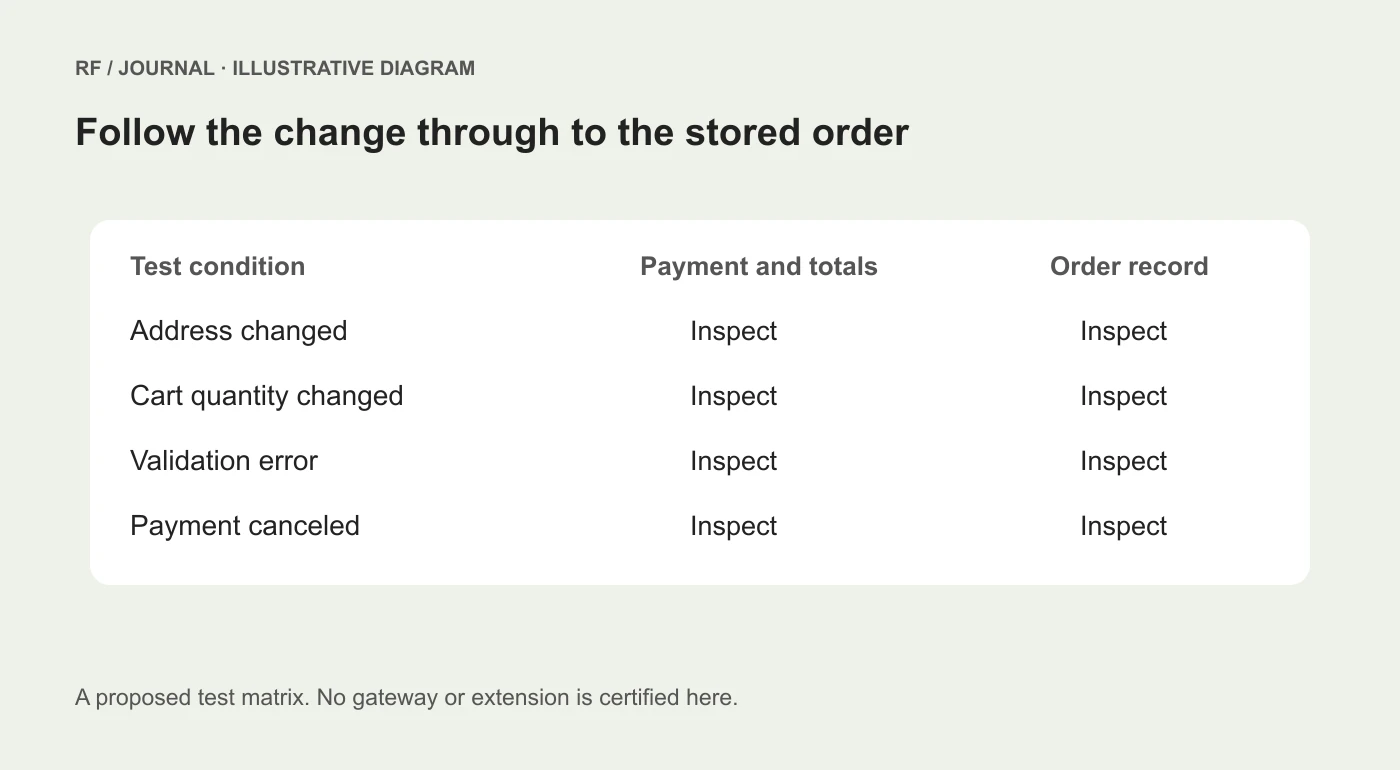
A proposed compatibility review, not results from a tested WooCommerce store.
Agree on the expected result first
For each scenario, have the merchant confirm the intended outcome. Which delivery method should apply? Which extra information is required? What should happen when the address is unsupported?
Without an expected result, a tester can record that a total changed but cannot say whether the change was correct. Keep a small set of known test products, addresses and expected outcomes in the project record. Use synthetic customer details and avoid copying real orders into shared screenshots.
Payment tests need their own agreed method. Use the provider's supported test environment where available and confirm which actions remain simulated. Do not assume that a sandbox success proves every production setting is correct, and do not create a real charge without authorization.
Keep the date and version details alongside the result. A compatibility check is evidence for a particular configuration, not a lifetime guarantee attached to a plugin name.
Read the order, not just the thank-you page
After a successful authorized test, inspect the stored order and its downstream use. Check the selected products, quantities, address, shipping method and additional fields. Compare these with the checkout result.
If a field is needed for delivery instructions, verify that it reaches the person arranging delivery. If an integration needs a reference, verify the receiving system rather than stopping at the WordPress administrator screen.
Notifications deserve attention too. A confirmation can be visually attractive and still omit the information a customer needs to recognize the purchase. Use the actual message generated by the test, with personal information removed from shared evidence.
This step often changes the scope of a checkout project. What looked like a layout change may involve a business handoff that has never been documented properly.
Make failure reports reproducible
When something fails, record the starting cart, customer state, address condition, action taken, visible message and resulting order state. Include the relevant browser and extension versions. A short recording can help when permitted, but a precise written sequence is still valuable.
Compare one condition at a time in an isolated environment. Disabling several extensions together can show that an interaction exists, but it does not establish which change caused the result. Keep production customer journeys protected while investigating.
Classify the issue accurately. A method that is intentionally unavailable for an address is different from a JavaScript failure that prevents any method from loading. A delayed external callback is different from a missing field label. Those cases need different owners.
For the broader update process, our WordPress business-journey checklist explains how to connect technical changes with operational checks.
Define the release and recovery decision
Before deployment, record the required scenarios, unresolved limitations, person authorized to accept them and method for restoring a usable checkout if the release fails. A rollback must consider orders and data created since the release; restoring an old database indiscriminately can remove legitimate activity.
Do not treat a switch back to a previous checkout implementation as automatic compatibility proof. It also needs the store's expected behaviors checked. The goal is a reliable buying journey, not loyalty to a particular rendering method.
Once the focused checks pass, release at a time when the responsible people can inspect the live route and respond to problems. Keep functional checks separate from later conversion analysis. A working checkout is necessary, but it does not demonstrate a sales uplift.
For catalog-specific issues before checkout, see our WooCommerce variable products checklist. Start the Blocks review with one complete representative order, then extend it to the cases that could materially change the outcome.
AI-assisted editorial guidance. Original illustrations are conceptual, not client evidence. Platform documentation checked 22 October 2026.


