

A wholesale store can look like an ordinary online shop until the first buyer signs in. That buyer may purchase for several locations, see negotiated products, order in case quantities and pay later under agreed terms. The interface is the visible end of a commercial model.
Before building a Shopify B2B storefront, map the buyer, company location, catalog, quantity rules, approval process and payment terms. Validate those rules through a small end-to-end pilot. This prevents a new theme from hiding an old spreadsheet problem behind a better product grid.
Official Shopify documentation was checked on 18 October 2026. Plan availability and limitations can change, so confirm the current account before committing to an implementation. The supplier and order examples below are fictional, not client results or commercial advice.
Start with the order that is difficult to process today
Ask the sales and operations teams to describe a recent type of order that creates avoidable work. Perhaps a buyer emails a spreadsheet, a salesperson checks pricing and somebody rekeys the order into another system. Do not start by asking which wholesale theme looks best.
Identify the source of the delay. Is the buyer unsure which products they may order? Does a location have different delivery details? Does an order need commercial approval? The website should address a defined problem rather than digitize every exception at once.
For this guide, imagine a fictional supplier of studio merchandise. It sells folded T-shirts and ceramic bottles to independent retailers. Some buyers operate one shop; others order for several branches. They need accurate product access, sensible quantities and an understandable ordering outcome.
The first pilot might cover one product group and a small set of invited business buyers. Exclude unusual credit arrangements or complex promotions until the basic workflow is verified. A narrow pilot is easier to diagnose than a launch containing every historical exception.
Model the company and the location separately
Shopify's company documentation distinguishes the parent company from its purchasing locations. A location can carry its own commercial and address settings. That structure is important when the same person purchases for more than one branch.
Create an account map before importing records. Identify the company, its locations, authorized contacts and the external identifiers used by other systems. Decide who can approve changes and how a departing buyer loses access.
Do not use the buyer's email address as the only explanation of the business relationship. People change roles, shared mailboxes exist and one contact may serve multiple locations. The application needs a clear relationship, not a collection of assumptions made during import.
Test location selection with realistic accounts. The buyer should understand which branch they are ordering for and see the corresponding experience. A wrong location can affect more than the shipping address; it can change the commercial context of the order.
Confirm plan fit before designing around a feature
Older guides may describe B2B availability differently from current documentation. Shopify's non-Plus B2B changelog records expanded availability, while the catalog documentation explains current catalog limits and assignment options.
At the research check, the documentation describes up to three active B2B catalogs across B2B markets on Basic, Grow and Advanced, with unlimited catalogs and direct company/location assignment on Plus. Confirm the exact setup in the intended account. Do not interpret broader availability as identical features on every plan.
Use a requirements table instead of choosing the plan from a single attractive capability. Record catalog assignment, number of pricing groups, payment requirements, integrations and any essential checkout behavior. Mark each as confirmed, requires an extension or unresolved.
Keep pricing estimates project-specific. A plan subscription is only one cost. Data cleanup, integration work, theme behavior and ongoing operations also belong in the scope. Our Shopify cost-planning guide explains that broader budgeting approach.
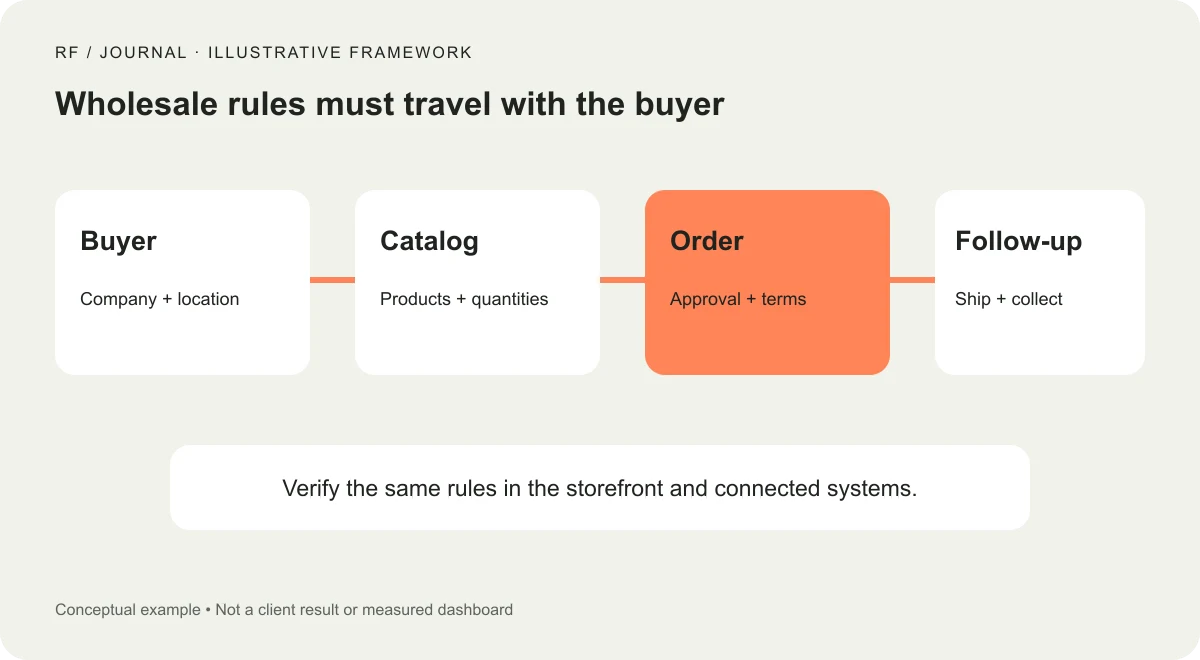
Conceptual wholesale workflow. Products and interface examples are fictional.
Design the catalog around a real buying rule
A catalog should have a business reason for existing. Examples include a product assortment for a market, a commercial group or an appropriate account arrangement supported by the chosen setup. Avoid creating a new catalog for every exception without considering maintenance.
For the fictional supplier, define which merchandise a retailer can see and which pricing rules apply. Keep a source of truth for those decisions. If the pricing spreadsheet, catalog and salesperson's quote disagree, the store cannot decide which one the business intended.
Test overlapping assignments carefully. Shopify documents how multiple applicable catalog prices are resolved. Rather than relying on memory, use controlled examples to verify the price the intended buyer actually sees, including variants and applicable quantity conditions.
Ask who maintains the catalog after launch. A clear process should cover a new product, a discontinued item, a pricing change and an incorrectly assigned buyer. A catalog model that only the original implementer understands will become expensive to operate.
Make quantity rules understandable before checkout
Wholesale customers need to know the unit they are buying. A product might be sold as individual units with a minimum quantity, in increments or as a defined pack. The product page, quantity controls and order summary should describe the same arrangement.
For a fictional T-shirt order, distinguish size variants from order increments. A buyer ordering several sizes should not have to guess whether the minimum applies per variant or across a combined assortment. Define the business rule, then check whether the platform setup supports it.
Test the smallest valid order, a quantity below the minimum and a quantity that breaks the allowed increment. Check the error message and whether the buyer can correct the problem without losing the rest of the order.
Volume pricing also needs clear conditions. Avoid an attractive price label that the current quantity does not qualify for. The useful question is whether the buyer can predict the order total from the information shown, not merely whether the discount setting exists.
Separate ordering, approval and payment
An order can be received without being commercially approved or fully paid. Decide which states matter and make the interface reflect them. A buyer should not interpret a request for review as an accepted commitment to ship.
Shopify's payment-terms documentation explains location-level terms and the handling of payment due later. It also notes that expiry of terms does not automatically capture payment. Operations must understand how collection actually occurs in the chosen workflow.
Do not let a developer decide a customer's credit arrangement while configuring a screen. The authorized business owner should approve the commercial terms. Accounting and legal specialists should review obligations where needed; this article is a website implementation plan rather than credit or tax advice.
Test an order requiring review separately from an automatically submitted order. Verify what the buyer sees, what staff receive and which action moves the order forward. A label such as awaiting approval should correspond to a real, owned queue.
Carry the rules into connected systems
If an ERP, accounting or warehouse system participates, map identifiers before syncing live records. Define which system owns customer identity, pricing, inventory and order status. Two systems should not continuously overwrite each other's intended changes.
Write down what happens when a sync fails. The store may accept an order before another system acknowledges it. Staff need a visible exception and a way to reconcile the record, rather than a quiet failure buried in a technical log.
Use stable identifiers and duplicate protection for repeated messages. If the same order notification is retried, it should not create another warehouse order. Record the synchronization state so operations can distinguish waiting, completed and needs attention.
Include a manual reconciliation procedure for the pilot. Automation should reduce repetitive work, but the team still needs to explain where an order is and what action is safe when a connection is unavailable.
Review delivery promises with operations
Wholesale dispatch can depend on quantities, production or the readiness of several items. Do not copy a consumer delivery message into the B2B experience unless it describes the actual fulfillment process.
Explain what the buyer can know before ordering and which details require confirmation. If availability is provisional, say so. If the order splits across shipments, the summary and follow-up should not imply a single event without checking the business process.
Our delivery-estimate guide separates preparation, transport and the customer-facing promise. That distinction remains useful when wholesale orders require additional review or assembly.
Use controlled test addresses and shipping scenarios during verification. Confirm the chosen location, available shipping choices and the information passed downstream. The test should follow the order beyond the attractive catalog page.
Build a buyer test matrix
Choose scenarios based on the commercial rules. Include a single-location buyer, a buyer with several locations, an unauthorized contact and a product with quantity conditions. Add a product unavailable to the current buyer and an order requiring review.
| Scenario | What to verify |
|---|---|
| Buyer changes location | Correct assortment, address and terms appear |
| Quantity is invalid | Clear correction without an unintended order |
| Product is restricted | Buyer cannot purchase it through another route |
| Order is submitted twice | No silent duplicate business order |
| Integration is unavailable | Staff can identify and reconcile the exception |
| Payment is due later | Buyer and staff understand the actual state |
Keep expected results beside observed results. A screenshot can demonstrate presentation, but the record also needs to show what was saved and sent. Use test accounts and approved data so verification does not create confusion for real customers.
Launch with people who can explain the result
Invite a small group of suitable buyers and give them a clear support route. Have sales and operations available to review the first orders. Record questions that indicate unclear labels, missing information or a rule that the implementation misunderstood.
Measure useful operational outcomes, such as orders requiring manual correction and the reasons for intervention. Do not announce a conversion improvement from a handful of invited buyers. The initial goal is a dependable ordering process with visible exceptions.
Before expanding, review whether staff can maintain companies, catalogs and terms without relying on undocumented knowledge. Update the operating notes and resolve recurring errors. More buyers will amplify both the useful parts and the confusing ones.
A successful B2B project begins with a commercial model the team can explain. Map identity, offer, order and follow-up first. Then design the storefront to make those rules easy for the buyer to understand and easy for the business to operate.


