

A customer can forgive a plain cardboard box. They are less relaxed about discovering that “fast shipping” means “we will start looking for the box next Thursday.” Delivery information is part of the product decision, even when it lives in a shipping settings screen nobody on the design call wanted to discuss.
For a Shopify store, the useful starting point is to separate preparation from travel. Explain when an order can leave, how long the selected service is expected to take, and what could change that estimate. Then check that the storefront, checkout and follow-up messages tell a consistent story.
This guide is for US-facing stores preparing their delivery messaging, including stores planning seasonal promotions. It is an implementation framework, not a test of a particular merchant or a promise that changing a delivery label will increase sales. Platform documentation was checked on 17 October 2026.
First, distinguish three different clocks
Think of an order as a relay. The customer pays. Your team prepares the parcel. A delivery service carries it. The customer receives it. A problem occurs when the website presents the last leg as though the earlier legs do not exist.
Fulfillment time covers the work before dispatch. Your operating process may include checking stock, printing, personalizing, packing or waiting for a collection. Transit time concerns travel after dispatch. Estimated delivery is the customer-facing arrival expectation that must account for the relevant preparation and transit rules.
A fictional apparel store might prepare stock items on the next working day but need additional preparation for embroidered orders. Giving both the same prominent “two-day shipping” label creates an avoidable ambiguity. Does two days start at payment, dispatch or the first carrier scan? Customers should not need a detective board to answer.
Write down those definitions before editing the interface. If the operations and design teams mean different things by “shipping,” a prettier badge will simply make the misunderstanding easier to notice.
Check what your Shopify store can actually display
Shopify supports manual and automated delivery-date approaches, with different eligibility conditions. Its delivery-date overview explains that fulfillment time must be set first. Manual dates use configured preparation and transit information; automated predictions use shipping performance and have eligibility requirements. Do not assume that an option visible in another merchant's screenshot is available in your account.
Start in your own store's Shipping and delivery settings and inspect the available controls. Record which method is active, which locations fulfill orders, and who owns the settings. Check the current documentation when deciding between methods rather than relying on an old tutorial with an impressively confident thumbnail.
Treat a native date estimate, a custom theme message and an app-generated badge as separate implementations. They may use different inputs. If a product-page app says one thing and checkout says another, the customer experiences one unreliable store, not three independent software vendors.
Build a promise map before a shipping banner
Use a simple working document with a row for each meaningful fulfillment situation. The document should be small enough that somebody will maintain it.
| Situation | What to establish | Where the customer needs it |
|---|---|---|
| Stock item from your main location | Preparation rule and available service | Product page, cart and checkout |
| Personalized item | Additional preparation and approval steps | Near customization controls |
| Order containing both types | Whether parcels split or wait together | Cart and confirmation |
| Remote destination | Service coverage and relevant exceptions | After destination is known |
| Preorder | Dispatch expectation and mixed-cart handling | Before add to cart |
This is an example planning table, not a description of Shopify's automatic behavior. The point is to uncover decisions your team must make. A small brand shipping everything from one location may need only a few rows. A more complicated fulfillment network needs a clearer policy before it needs more decorative icons.
Name an owner for each row. “Ask the team” works until the team is packing orders and the designer is trying to launch a sale.
Design useful delivery information at three moments
Before the customer adds the product
Give the shopper the information that can change the purchase decision. A made-to-order product should explain its preparation requirement near the buying controls. A location-dependent estimate should acknowledge that the destination matters. A generic reassurance beneath the footer is too far from the question.
Keep the first message short. For example, a fictional store could use “Prepared after your artwork is approved. Delivery options appear at checkout.” That is useful if it describes the real process. It is harmful if the store actually starts production before approval or offers no destination-specific information later.
Avoid a date countdown unless the cutoff is backed by a maintained rule. A timer that restarts on every visit is not a logistics system. It is a clock doing theatre.
When the customer reviews the basket
Check whether the cart contains something that changes the expectation: a preorder, a custom item, a second fulfillment location or a service unavailable to that address. Make the consequence understandable before payment.
You may need a short explanation rather than a date. “These items may arrive separately” is useful only when the fulfillment arrangement supports it. If the order waits for the slowest item, say so instead. The interface should reflect an operational decision that has already been made.
When a shipping method is selected
At checkout, service labels and dates should be consistent with the configured method. Separate the delivery charge from the arrival expectation. A free service is a pricing choice; it does not tell the buyer when the parcel will arrive.
Read the manual delivery-date setup guide before configuring working days, cutoffs and transit settings. Verify the actual choices in your account and test representative destinations. This is especially useful when a promotion crosses weekends or changes your preparation capacity.
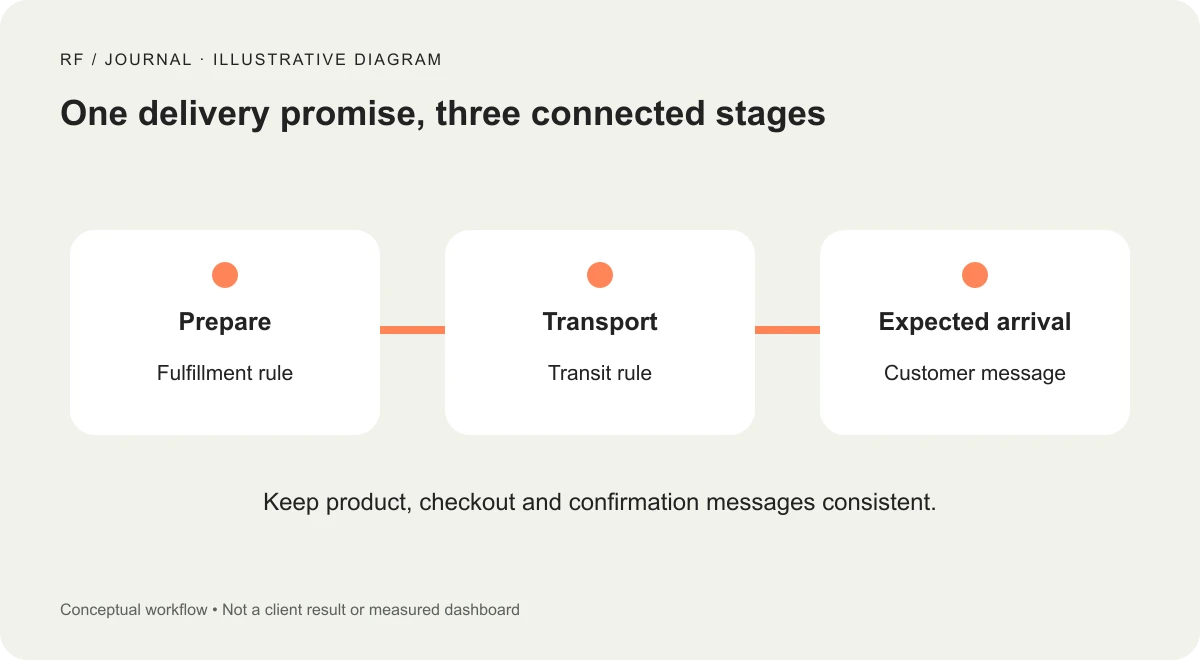
Illustrative workflow, not a client result or measured dashboard.
A fictional T-shirt order, walked through carefully
Consider a small store selling ready-made cotton T-shirts and personalized team shirts. This is a planning example, not a client case study.
The store first documents two preparation workflows. Stock shirts can enter the normal packing queue. Personalized shirts need artwork approval and production. The team decides how a mixed order will ship and records that choice in its working policy.
The designer then builds a small product-page information block using those rules. The personalized product explains the approval dependency next to the customization fields. The cart identifies when that dependency affects other items. Checkout uses the configured shipping options rather than a second hard-coded date invented by the theme.
Finally, the team walks through the purchase using appropriate test arrangements. They try a stock item, a personalized item and a mixed cart. They compare the visible messages before paying and afterward. They look for contradictions, not just whether the green success message appears.
The deliverable is a consistent purchasing journey. There is no evidence here of a conversion uplift, a reduction in support tickets or faster delivery. Those outcomes would require actual measurements after implementation.
Test awkward orders, because customers will place them
Your test plan should include the ordinary order and the order that makes everyone sigh. A neat demonstration with one stock item proves very little about a store with mixed fulfillment rules.
Try a destination near your normal customers and one at the edge of coverage. Check the experience around a cutoff, across a non-working day and with an unavailable service. If your store offers pickup or local delivery, inspect those journeys separately rather than assuming parcel-shipping rules apply.
For each scenario, record the product, destination type, time, chosen service, displayed expectation and expected operational outcome. Use fictional or authorized test information and avoid exposing customer addresses in shared screenshots.
If a message disagrees with the plan, find the owner of the underlying rule. Changing the copy to conceal an uncertain process makes the page cleaner while leaving the customer problem intact.
Plan seasonal changes as a small release
Before a busy period, ask whether your normal preparation rule still reflects actual capacity. A popular promotion can change the packing queue even when the carrier's transit service stays the same.
Prepare a release note containing the changed message, affected products, responsible person and removal condition. Decide who will update the settings and who will inspect the live customer journey. Put an expiry reminder beside temporary messaging so “holiday update” does not become a permanent architectural feature.
If you publish an order-by deadline, establish its basis and scope. Identify which destinations, products and services it covers. Use an estimate where that is what you can support. Do not let a marketing deadline quietly become an unsupported arrival guarantee.
Measure understanding before celebrating a new badge
Keep a record of delivery-related questions before changing the interface. Group them by uncertainty: dispatch timing, arrival date, split orders, tracking or destination coverage. These categories can reveal whether the site is answering the question customers are actually asking.
After the change, examine comparable periods and note other changes such as promotions, stock issues or carrier disruption. A lower question count alone does not prove that the badge worked; fewer orders could also reduce questions. Look at the context and the nature of the remaining enquiries.
For a small store, a useful first result might be that customers can explain the preparation rule correctly during a short usability session. That is an observation about comprehension, not a forecast of revenue. Keep those distinctions in the report.
What the design and development handoff should include
Hand over the promise map, content examples, settings ownership and scenario checklist together. Screenshots alone do not explain where a displayed date comes from or when it should change.
Include the fallback when a prediction is unavailable. Define whether the interface hides the date, shows a preparation note or directs the customer to available options. A blank badge with a spinning loader is not a reassuring delivery policy.
This work also connects to planning Shopify operating costs: an additional delivery app brings configuration and maintenance responsibility as well as a subscription. Confirm that the native tools and a clear content model cannot meet the requirement before adding another dependency.
Start with one representative product and a small set of destination scenarios. Make its delivery story accurate from product page to confirmation, then extend the pattern. The most useful delivery design is the one your operations team can continue to keep true.
Visuals: AI-generated cover with fictional objects and interfaces; original illustrative workflow diagram. No client screenshots or measured results are depicted.


