
The little robot looks around, shifts its attention and somehow makes a room full of adults care about its next step. That is a fairly efficient use of a pair of robotic legs.
If you have seen the duck-like droid beside Jensen Huang in NVIDIA's GTC videos, there are two useful questions to separate: what the real character robot is, and what you can realistically create on your own computer without buying robot hardware.
The real machine is part of Disney's BDX robotic character work. The free project in this article is an original, much simpler virtual duck made with MuJoCo. It turns its head, nods and moves its wings. Its body is anchored, so it does not learn to balance or walk. You can inspect and change the files instead of being asked to admire a mysterious video and take our word for it.
Research and example checks are dated 23 October 2026. The cover uses a supplied reference graphic. The tutorial render below comes from the downloadable example.
First, whose robot is it?
Calling it “NVIDIA's duck robot” is an understandable search phrase, but it leaves out Disney's role. NVIDIA's 18 March 2025 announcement identifies the onstage characters as Disney's Star Wars-inspired BDX droids. It announced collaboration between NVIDIA, Google DeepMind and Disney Research on the Newton physics engine.
In the GTC 2025 keynote, Huang addresses the onstage character as Blue. That provides a useful reference point for the clip, not evidence of a new consumer robot you can order or an official free Blue download.
The date matters. A video resurfacing this week does not mean the robot or the Newton announcement launched this week. This article explains the documented work and a current learning route; it does not present the 2025 demonstration as breaking news.
Supplied reference graphic. The virtual duck used in the tutorial is a separate original example.
Why it feels like a character rather than a machine
The appeal is not simply that the robot can move. Its attention and motion make the movement readable to people. A head turn can suggest curiosity. A pause can make a response feel deliberate. Those are design decisions as well as engineering decisions.
Disney Research's bipedal robotic character paper describes combining expressive, artist-directed motion with robust mobility. Its architecture includes reinforcement-learning control, an animation engine and an operator interface for live performance.
That is more specific than saying the robot has a chatbot inside it. Walking control, character animation, perception and conversation are different capabilities. A short stage interaction does not establish that a robot can reason about every object, understand every instruction or operate unsupervised in a home.
For designers and developers, the interesting lesson is that technical capability and understandable behavior need to work together. An interface can be technically correct and still leave a person uncertain about what it is doing. A small character makes that relationship unusually visible.
Where Newton fits
A physics engine calculates how a modeled system behaves under its assumptions: joints move, forces act and objects can make contact. A controller decides what action to apply. A learning process can adjust a policy through repeated trials. The viewer displays the result.
Those parts cooperate, but they are not interchangeable. Installing a physics engine does not automatically produce an intelligent walking character.
The current Newton repository describes an open-source, GPU-accelerated physics engine built on NVIDIA Warp, initiated by Disney Research, Google DeepMind and NVIDIA. Its requirements and example instructions belong to that project and can change.
For a beginner who wants a small virtual duck, starting with the entire research stack is unnecessary. We use MuJoCo directly for an original articulated model. This is a smaller educational route, not a reproduction of Disney's production pipeline or a test of Newton's performance.
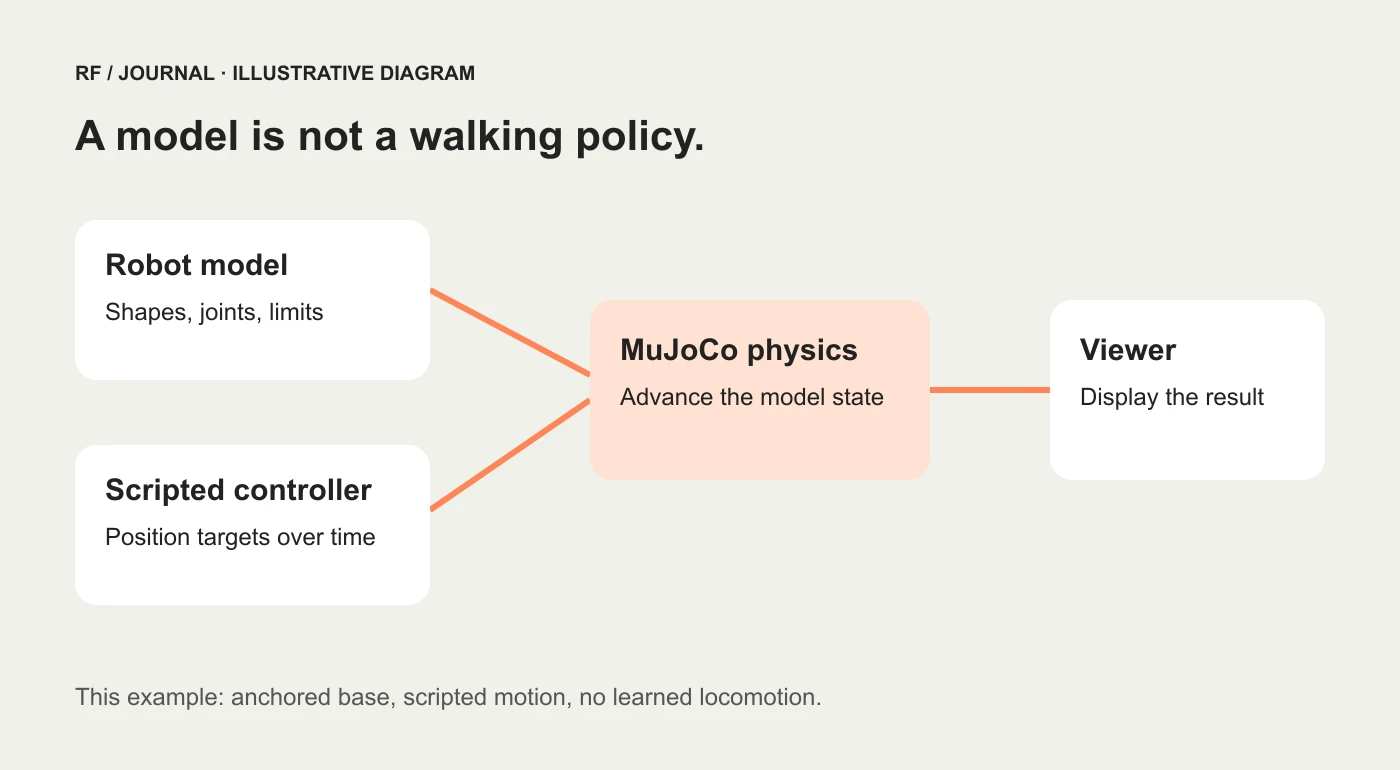
Conceptual separation of the parts. The downloadable example uses scripted position targets, not a trained walking policy.
What “free” means in this tutorial
MuJoCo is free and open source. Our original example files are supplied under the MIT license. For this small project you do not need a paid AI account, an API key, rented cloud training or physical robot parts.
You still need an existing computer, a supported Python setup and a working graphics environment for the viewer. Those resources are not supplied by a free download. This tutorial does not promise that every old laptop or remote desktop will display the scene correctly.
The example uses CPU-based MuJoCo simulation. It does not require an NVIDIA CUDA GPU for its scripted motion. More ambitious robot-policy training is a different workload, with different requirements and potentially real compute costs.
There is also an important ownership distinction: the download contains our original learning duck. It does not include Disney's BDX assets, an official Blue model, NVIDIA software bundles or another project's trained policy.
Build the virtual duck on Windows
The walkthrough uses Python 3.12 and PowerShell. Install Python from the official Python website if needed. The download includes the complete model and script, so there is no need to copy a long XML file from a webpage.
1. Download and extract the project
Download the free virtual duck starter ZIP.
Extract the archive, then open PowerShell in the extracted virtual-duck folder. You should see duck.xml, run.py, requirements.txt, README.md and LICENSE.txt. Do not run the script from inside an unextracted ZIP preview.
The files have distinct jobs:
duck.xmldefines the original body shapes, four joints and four position actuators.run.pyloads the model, supplies the movement targets and advances the simulation.requirements.txtrecords the dependency versions used for this example.README.mdcontains the commands and limitations outside the article.LICENSE.txtcovers the original example files; dependencies keep their own licenses.
2. Create a local environment
Run:
py -3.12 -m venv .venv
.\.venv\Scripts\python.exe -m pip install -r requirements.txt
The environment keeps this project's packages separate from other Python projects. These commands call its Python executable directly, so you do not need to activate a shell script or change PowerShell's execution policy.
If py is not recognized, first check that Python is installed and that the Windows Python launcher is available. If Python 3.12 is missing, the first command cannot create that particular environment. Fix the Python setup before repeatedly running the same command.
3. Check the model before opening the window
Run:
.\.venv\Scripts\python.exe run.py --check
The check advances 12 seconds of simulated time without opening an interactive window. It checks for four joints and four actuators, finite state values, observed joint motion and a tolerance around the model's joint limits.
That is a focused software check. It does not certify a real robot, prove stable walking or establish that the interactive graphics will work on every computer.
4. Open the moving duck
Run:
.\.venv\Scripts\python.exe run.py
The viewer should show the model turning its head, nodding and moving its wings. Close the viewer window to stop the script. The official MuJoCo Python documentation describes its Python viewer and installation approach.
The chassis stays fixed. There is deliberately no free-moving base joint, and the example disables contact interaction for its geometry. Those choices keep the first exercise focused on articulated movement. The duck has not solved balance. It has been excused from the balance exam.
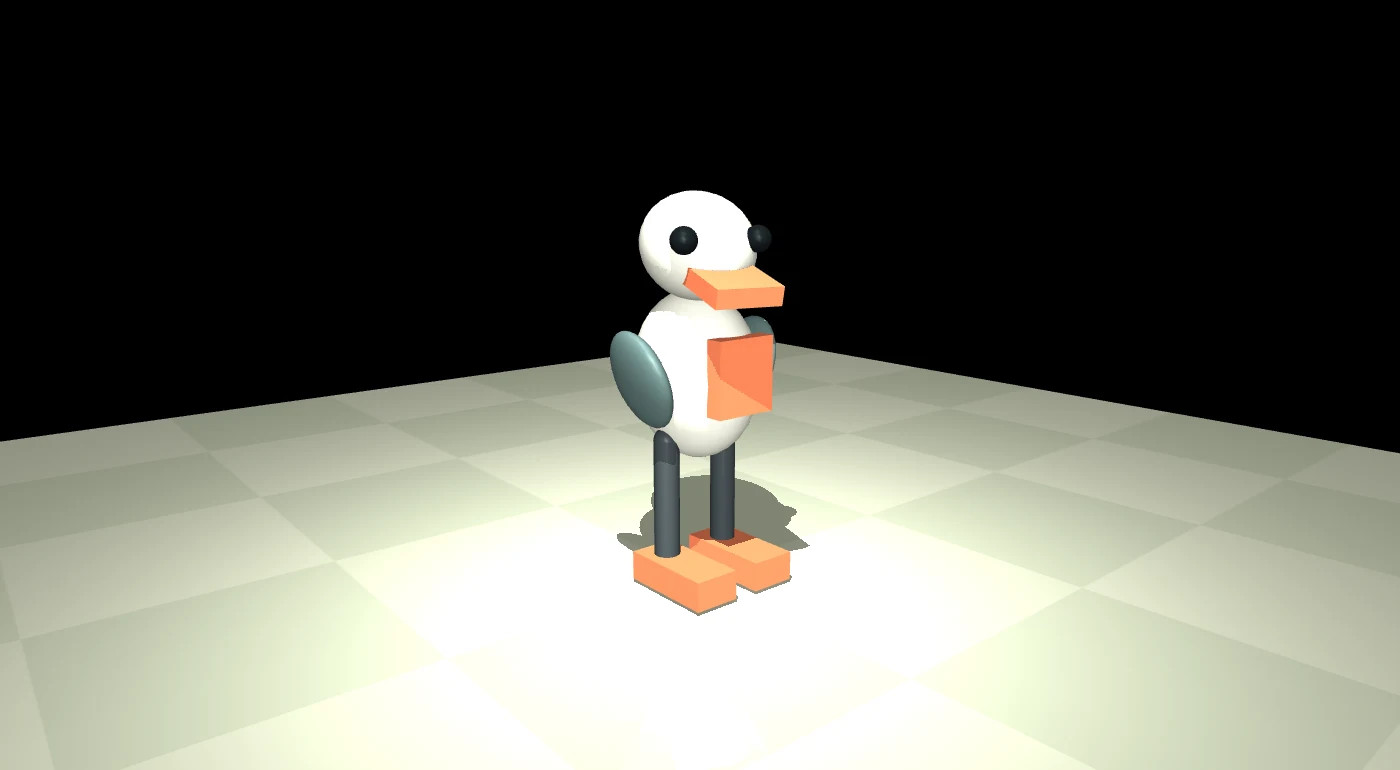
Render from the supplied model after the recorded simulation check. This is the tutorial duck, not Blue or a Disney BDX droid.
Change one movement and see the effect
Open run.py in a text editor and find the controls() function. It contains the movement targets:
return [0.42 * math.sin(t),
        0.18 * math.sin(1.7 * t),
        0.35 * math.sin(2 * t),
        -0.35 * math.sin(2 * t)]
The first value controls head turning. Change 0.42 to 0.20, save and rerun. The intended result is a smaller turn. These angles are in radians.
Change one value at a time so the cause remains clear. The number inside a sine function affects how quickly its target varies; the multiplier outside changes the target amplitude. Keep targets within the joint and actuator ranges in duck.xml.
The code supplies position targets to actuators; it does not directly declare that the actual joint must instantly be in that position. That distinction gives you something useful to inspect: commanded movement and simulated movement are related, but not identical.
Try describing an intended personality before editing values. “Curious but calm” might suggest a small turn, a brief nod and a slower rhythm. Review whether the result communicates that intention. A collection of maximum-amplitude movements usually looks less like curiosity and more like the robot has just discovered espresso.
What was checked, and what was not
The project record retains the model check and render from the Windows environment used to prepare this article. The recorded check covers the supplied small model, not a large robot-learning workload.
Rendering one image and advancing the model do not establish that every interactive viewer control, graphics driver or operating-system combination works. The README includes macOS and Linux command guidance, but those routes were not tested for this article. On macOS, MuJoCo's passive viewer requires its mjpython launcher.
If the check passes but the window fails, investigate the display and OpenGL environment separately. If installation fails, retain the package error and verify Python and package compatibility. Do not interpret either failure as evidence that a paid GPU service is automatically required.
If you want a duck that actually learns to walk
That is the next project, not a checkbox in this one. A walking system needs a suitable articulated body, meaningful contact geometry, mass and actuator modeling, observations, a controller or policy, and an evaluation method.
Open Duck Mini is a separate community project inspired by Disney's BDX droid. Its repository links simulation resources and a MuJoCo Playground training route. The maintainers also describe the repository as a working resource with incomplete documentation in places. Follow its current linked setup, version and asset instructions rather than assuming an old command or arbitrary policy file will fit a different robot.
Start by loading an existing supported model and understanding its configuration. Running a trained policy is different from training a new one. Training software can be open source while the hardware, electricity and cloud time still cost money.
Do not add a free-moving joint to our anchored example and expect it to start walking. Removing the support removes an assumption; it does not create a balancing policy. Keep any future physical-hardware work separate from this learning demo.
What this teaches a website team
A simulation exercise can improve how a team explains interactive products. It forces a useful separation between the model, the control and the visible response. The same separation matters in configurators, 3D demonstrations and interfaces that claim to represent a real system.
For a client website, label a concept render as a concept, explain what a control changes and avoid presenting a scripted animation as evidence of autonomous capability. An attractive demo should make the product easier to understand, not blur the difference between an illustration and a tested result.
Our AI workflow guide explains the broader task-and-review approach. The design system guide applies a similar discipline to consistent interface behavior.
Begin with the free starter, run the check and make one small movement change. You will have an inspectable virtual duck and a clearer understanding of what the impressive stage robot requires beyond a charming face.


