
The most expensive sentence in a website project is sometimes only five words: “That’s not what I meant.”
The designer meant a useful filter. The developer built the filter that was described. The client expected it to read minds. Everyone opens another meeting invitation, and a small part of the afternoon quietly leaves the building.
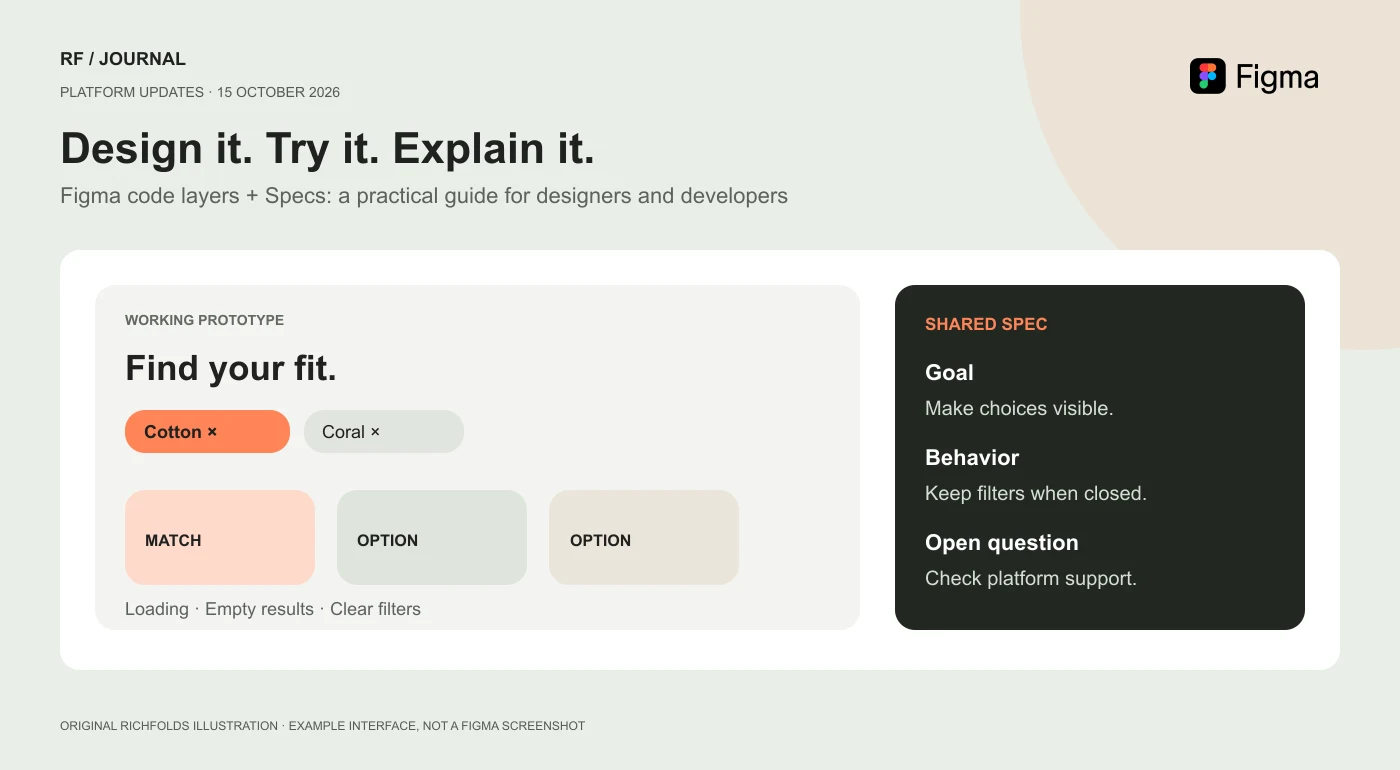
Figma’s October 15, 2026 announcements address a familiar part of that problem: design, working behavior, written decisions, and content often live in separate places. The update brings code-backed prototypes, shared specifications, and a content backend closer to the design process. That is worth attention. It is not a reason to declare that websites now build, test, maintain, and invoice themselves.
Our view: try these tools on one uncertain interaction before rebuilding your entire workflow around them. A better conversation between a designer and a developer is already a useful result. A colorful prototype that nobody can maintain is a more expensive screenshot.
Research checked on 16 October 2026. This is an analysis of Figma’s published documentation, not a hands-on benchmark. The examples and original images are illustrative; they do not show Figma’s actual interface or a completed RichFolds client project.
What actually launched, and what is still rolling out?
The October 15 release notes describe several related changes. They are not all at the same stage of availability.
| Update | Announced status | Practical question to ask |
|---|---|---|
| Code layers | Open beta, rolling out | Can we review an interaction together instead of describing it? |
| Specs | Open beta on paid plans | Can we keep the reason for a decision beside the design? |
| Payload in Figma Make | Rolling out across plans | Can the people maintaining content actually edit it? |
| Design-library guidelines | Open beta | Have we explained the rules an agent should follow? |
| Code sources | Closed beta | Is access available before we plan around it? |
| Centralized design systems | Preview | Is this a future direction rather than a feature we can use today? |
The distinction matters. “Announced yesterday” and “available in our account this morning” are different statements. Check your account, seat, permissions, and current usage terms before promising a workflow to a client.
It is also worth being precise about what is new. Figma’s broader agent became generally available on October 6. Code layers had been introduced earlier; October 15 marks their move into open beta. This is a meaningful expansion, not the first day Figma discovered that code exists.
Code layers: let people try the thing
A code layer is a running prototype on the Figma canvas. Teams can compare versions alongside their designs, rather than continually moving between a design file and somebody else’s preview link. Figma describes starting from designs, supported lightweight code, or a captured webpage.
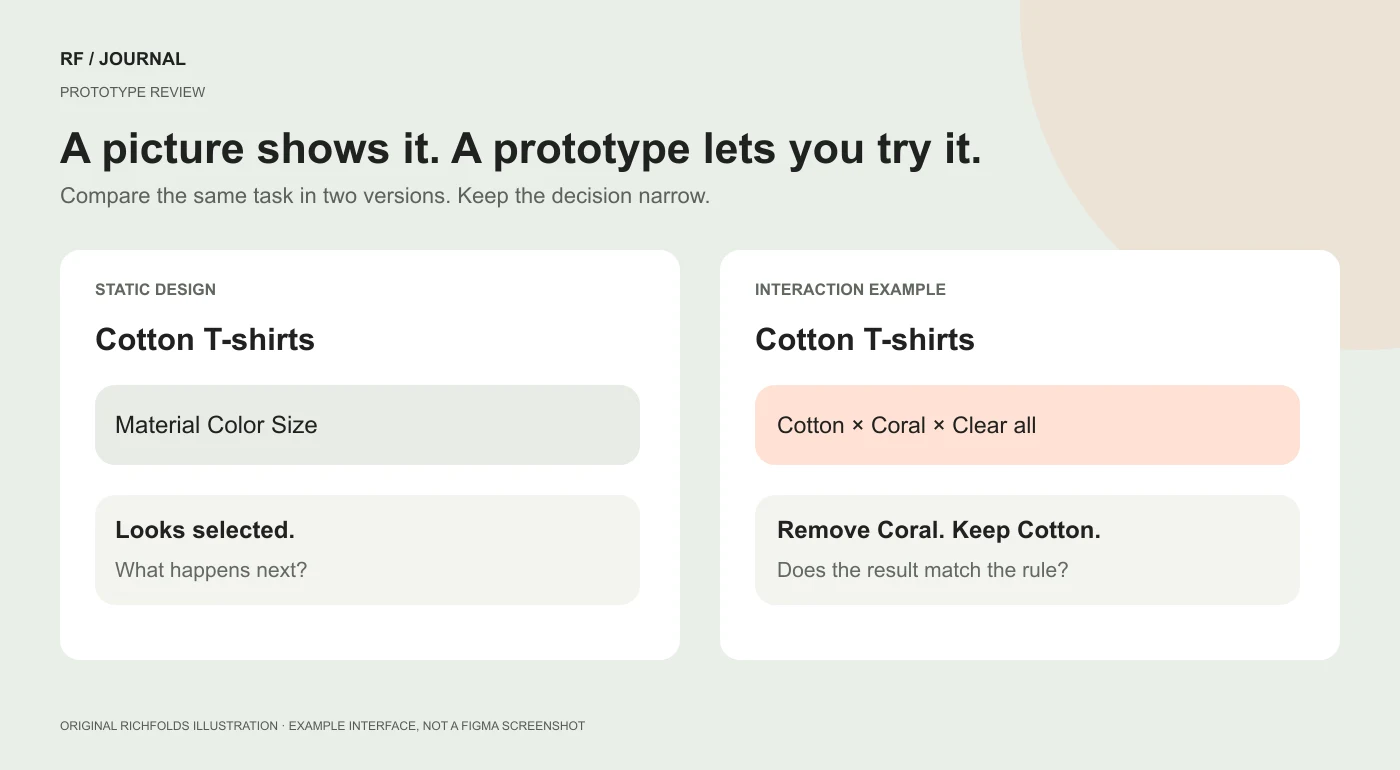
The useful difference is behavior. A static product page can show a size selector. A working example can show what happens when a shopper changes the size after choosing a color that is no longer available.
That second conversation is harder to settle with a rectangle and an arrow labeled “interaction.” The arrow is doing its best. It has not considered inventory.
For a designer, this creates an opportunity to ask more specific questions. Does the selected filter remain visible? Can somebody recover from an empty result? Does the button explain why it is disabled? For a developer, the prototype can expose assumptions before they become production requirements.
Neither person needs to pretend the prototype is the finished application. Its job is to make uncertainty visible early enough to discuss.
A practical first trial: improve a product filter
Imagine a fictional clothing store whose shoppers struggle to find a cotton T-shirt in the right color. We would choose that small journey as a pilot, rather than ask an agent to “reimagine commerce.” Commerce has had a busy week already.
1. Write down the problem before opening the prompt box
Use a narrow brief: shoppers need to combine material and color filters, understand which selections are active, and recover when no products match. Keep the current product cards and navigation unless the interaction requires a change.
Define the decision you want the prototype to support. For example: should active filters appear above the results, inside a drawer, or in both places on a narrow screen?
This keeps the exercise from becoming a surprise redesign of the logo, pricing strategy, and company personality. Those may deserve discussion. They are not required to test a filter.
2. Bring the smallest useful starting point
If the feature is available in your account, Figma’s getting-started instructions describe selecting a design frame, choosing Code, and using Build selection. They also describe starting with an empty code layer and a prompt. Follow the current interface rather than treating screenshots in any article as permanent instructions.
For this pilot, a single collection page and a small fictional catalog are enough. Do not begin by importing a whole production application just because it has a repository and looks important.
If you start from code, ask a developer to identify a supported, self-contained example. Record which services are mocked. A prototype with local sample products does not demonstrate that the live catalog integration works.
3. Give the agent constraints and states
Here is an example prompt, written for this fictional exercise:
Build a product-filter prototype from the selected collection frame. Keep the existing typography, spacing, and product-card layout. Use fictional catalog data with material and color attributes. Show active filters, a clear-all action, loading feedback, and a helpful no-results state. Preserve selections when the filter drawer closes. Include keyboard focus and descriptive control labels. Do not add checkout, payments, accounts, analytics, or live APIs. List assumptions before expanding the scope.
This is a starting brief, not a guarantee that every requirement will be implemented correctly. Inspect the result. If an agent says it added keyboard support, use the keyboard. Complimenting the intention does not help someone stuck behind a focus trap.
4. Compare two answers to one question
Create one version with active filter chips above the results and another with a more compact summary. Ask reviewers to complete the same task in each: find a cotton coral T-shirt, then remove only the color restriction.
Watch the point where they hesitate. Ask what they expected. Avoid telling them which version you secretly prefer before they try it; that turns a usability review into an extremely polite guessing game.
This is qualitative design evaluation. It is not a live A/B test, and a few colleagues preferring one layout does not establish a conversion uplift. For that next stage, our guide to planning a trustworthy A/B test explains why the measurement question needs its own plan.
5. Capture the decision, including what remains unknown
The outcome might be simple: retain visible active filters, shorten the drawer labels, and preserve selections when the drawer closes. The unresolved question might be whether the real platform supports the proposed combinations without additional indexing or theme work.
That is a productive result. Nobody needs a ceremonial announcement that the future of shopping has been unlocked. The team needs a decision and an owner for the remaining question.
Specs: the useful place for the sentence behind the screen
Figma Specs brings collaborative written context onto the canvas, with references to the work it describes. Figma documents Markdown import, embedded canvas material, and sharing context with agents through its MCP server.
The value depends on what you write. “Make this intuitive” is not a specification. It is a wish wearing a work badge.
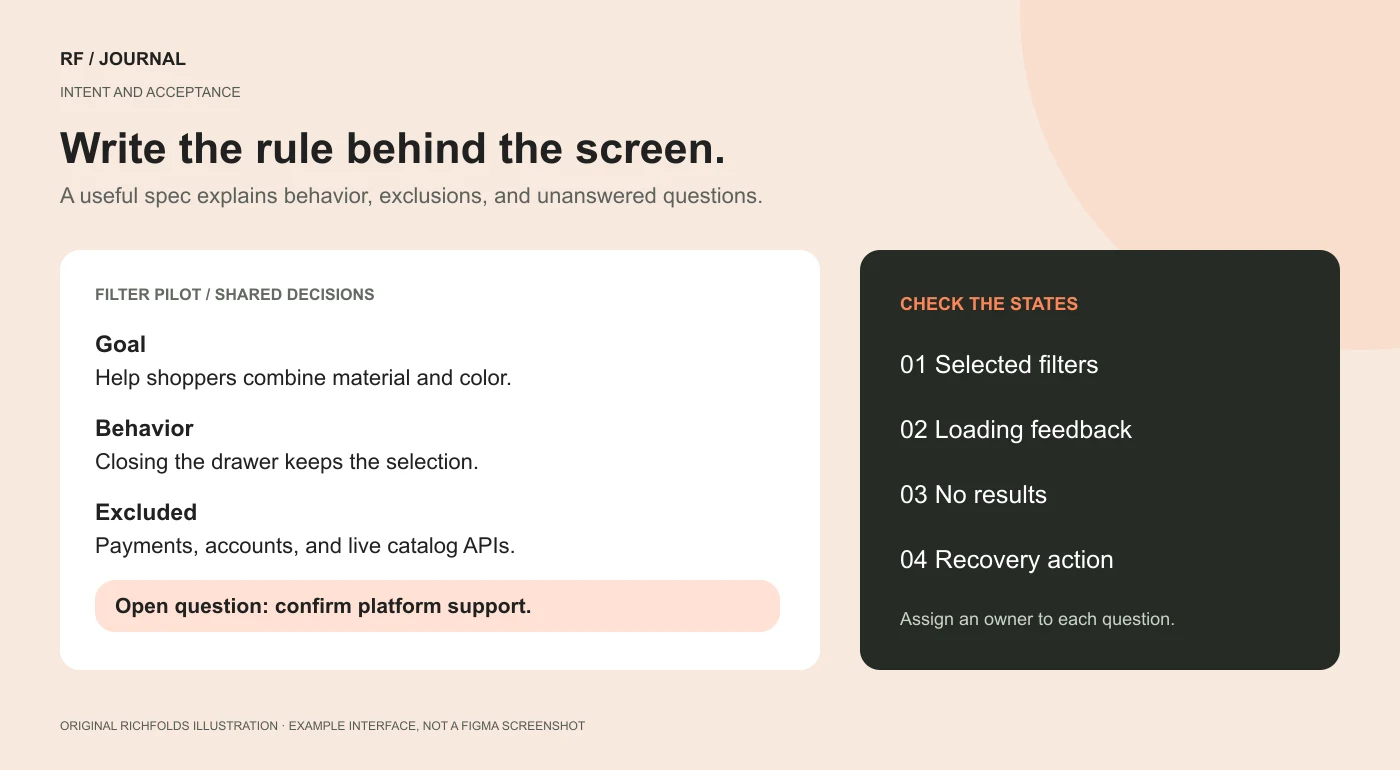
For the product-filter example, a useful spec would say:
- Goal: help shoppers combine material and color without losing track of their choices.
- Included: collection-page filters, active selections, result count, loading, and empty results.
- Excluded: recommendations, checkout, customer accounts, and catalog administration.
- Behavior: closing the drawer preserves selections; clearing color preserves material.
- Content: attribute names come from the catalog’s agreed naming convention.
- Open question: confirm the real storefront’s filtering capabilities with the developer.
- Acceptance: a shopper can identify and remove each active restriction using a keyboard as well as a pointer.
A spec should record decisions, not accumulate every sentence anyone has said about the project. Separate an idea under discussion from an approved requirement. Give unresolved questions owners. Update the document when a decision changes.
Otherwise, the team gains a beautifully formatted museum of old intentions. Admission is free; implementation is not.
What designers should own in this workflow
Designers should use the working prototype to examine hierarchy, language, state changes, and recovery. The important question is not simply whether the screen looks closer to the reference. It is whether the user can understand what changed and what to do next.
Try content that is inconvenient. Use a long product name, missing imagery, an unavailable variant, and a result count of zero. A composition that only works with three short names and perfectly cropped photographs is a mood board with excellent attendance.
Bring the developer into the discussion before polishing a direction that depends on unsupported behavior. A small technical constraint can change a useful design decision. Discovering that early is collaboration, not a defeat for creativity.
Keep the visual system explicit too. Name the components and patterns to preserve. Describe which elements are allowed to change. Ask the agent to explain a departure instead of quietly inventing a fourth kind of primary button.
Our recommendation is to review the result at three levels: the complete journey, the awkward states, and the visual details. Zooming into border radii is enjoyable. It should not be the only meeting the error state gets.
What developers should still inspect before shipping
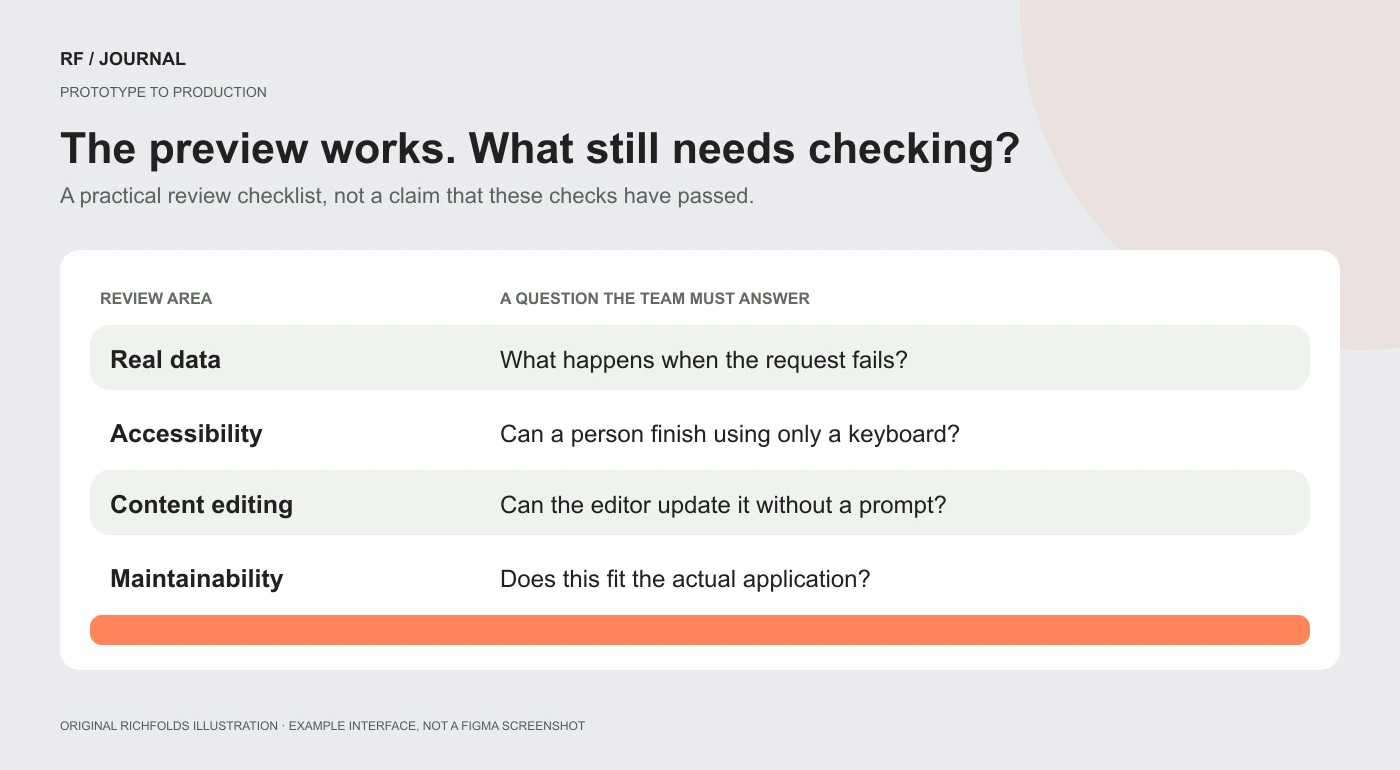
A working preview demonstrates the preview. It does not establish that the production system is correct.
Developers should review what the generated code depends on, where data comes from, what happens when a request fails, and whether the implementation fits the application’s architecture. Confirm that visual changes have not introduced a parallel component system that nobody intended to maintain.
For the filter pilot, that means checking the real catalog query, availability rules, URL behavior, browser navigation, and how state survives a refresh. If filters are represented in the URL, test a copied link directly rather than only clicking through from the homepage.
Also check accessibility, responsive behavior, asset sizes, and loading on an ordinary connection. A preview on the designer’s large display is a useful view of one environment. It is not a comprehensive device strategy.
Figma describes sending prototype changes to a branch and opening a pull request. Treat that as the start of engineering review. Read the diff, run the relevant checks, and decide what belongs in the product. An agent-generated pull request is still a pull request, even if it arrived with admirable confidence.
For WordPress or another server-rendered CMS, do not assume that prototype code replaces the platform’s templates, permissions, or publishing workflow. Use it to establish the interaction, then implement the behavior in the actual system. Our CMS selection guide covers the ownership questions that a prototype cannot answer for you.
Payload in Figma Make: someone still needs to edit the website on Tuesday
The Payload announcement is especially relevant to teams building content-driven sites. Figma describes a backend in Make with content storage, an admin panel, authentication, media, and APIs. Access is rolling out, and the announced hosting setup is in beta.
This addresses a practical question: after the impressive first build, how does a person change an opening time, publish an article, or replace an outdated photograph?
Imagine a fictional workshop directory. Its entries need a title, date, location, description, image, and registration destination. Those should be structured fields, not a paragraph an editor must ask an agent to rewrite every time the venue changes.
A useful pilot would create a few fictional entries and ask the future editor to update one. Can they tell draft from published? Are required fields understandable? What happens when a workshop is canceled? Can the layout handle a long venue name without clipping it?
Those are content-model questions. A backend makes them possible to implement; it does not answer them automatically.
Before choosing this setup for a client, confirm ownership, access, hosting terms, export requirements, integrations, and ongoing costs. Figma’s launch post says hosting pricing and packaging will be announced before taking effect. Do not convert a temporary beta offer into a permanent promise in your proposal.
For an established store, we would evaluate this separately from the existing commerce platform. A content backend is not evidence that checkout, tax, shipping, inventory, and order management should migrate. That would require its own business and technical case.
Design-system guidance: tell the agent what “our style” means
The broader launch recap includes guidelines for design libraries and code sources, with different beta stages. The practical lesson is straightforward: the agent needs usable rules, not a vague instruction to stay on brand.
Write rules a reviewer could check. Use the existing form-error pattern. Keep one primary action per decision area. Preserve the project’s spacing tokens. Use approved components before inventing replacements. Explain which pattern to use when content is empty or a request fails.
If a rule has an exception, describe the reason. A design system should help people make a decision, not merely tell them they have disappointed the design system.
Start with the patterns that cause repeated rework. Improve the guidance when the same misunderstanding returns. That creates a better feedback loop than repeatedly typing “please make it more premium” and hoping the agent has attended the same mood-board meeting.
A first-week plan that does not require a company transformation
Start with one designer, one developer, and one small interaction. Choose a problem that already creates discussion, such as product filters, a contact-form confirmation, or a booking date selector.
On the first pass, record the current behavior and the decision you want to make. Create a small prototype using fictional or approved sample information. Keep existing production systems outside the experiment.
Next, compare alternatives and write down what changed your minds. Ask a person unfamiliar with the prototype to attempt a realistic task. Record confusion and missing states, not just positive comments about the appearance.
Then have the developer assess the selected direction against the real platform. Capture implementation work and unresolved dependencies in the spec. Decide whether to build, simplify, or abandon the idea.
Finally, review the workflow itself. Did the prototype answer a question that previously required explanation? Did the spec reduce ambiguity? Did the developer receive a usable decision, or another interface to reverse-engineer?
Track the time you actually spend if you want to compare it with your usual process. Do not borrow another company’s launch-day productivity percentage and paste it into your own case study. Their stopwatch has not visited your office.
Our honest verdict
The promising part of this update is the possibility of keeping behavior, visual intent, written decisions, and editable content close enough for a team to discuss together.
That can make design more practical and technical feedback easier to understand. It can also produce a large collection of convincing prototypes if nobody owns the decisions between them. More output is useful only when it helps the team learn or deliver something worth maintaining.
Try one uncertain flow. Write down the rules. Test the awkward states. Let a developer assess the real implementation. Let an editor try changing the content. Use what you learn to decide whether the workflow deserves a larger role.
If the result is one fewer “what did you mean?” meeting, that is progress. We can leave the victory keynote until after the loading state works.


