
An AI browser can turn a pile of tabs into a useful comparison. It can also produce a beautifully organized answer that quietly combines an old feature announcement, a current help page and a marketing claim as if they were the same kind of evidence.
For client research, give the assistant a defined question, a permitted source set and a clear stopping point. Begin with public documentation. Check the claims and links before the summary becomes a recommendation or a project promise.
This guide uses Perplexity Comet's documented capabilities as an example, while keeping the workflow applicable to evaluating browser assistants more generally. Documentation was checked on 22 October 2026. It is a proposed pilot, not a hands-on benchmark or a claim that every account has identical features.
Separate research from account actions
Comparing public CMS documentation is different from changing a client's CMS settings. Summarizing a pricing page is different from purchasing a plan. Reading a public support article is different from reading a private customer ticket.
Write down which activity the assistant is allowed to perform. A research brief should not quietly expand into publishing, sending messages or changing accounts because a page contains an inviting button.
Comet's privacy and security FAQ describes an assistant that can work with page context and perform website interactions. It also discusses server processing for requested tasks and optional integration permissions. Read the current product terms and settings for the intended account; do not assume that “browser-based” means all assistant processing stays on the device.
For an initial client pilot, public documents reduce the need to expose private information. That makes it easier to evaluate whether the research output is useful before deciding on broader access.
Write a brief with evidence requirements
A good brief identifies the decision, relevant products, date sensitivity and expected output. It also explains what should remain unresolved when the sources do not answer the question.
For example:
Compare the current official documentation for the named CMS options against our editor workflow. Use public vendor documentation, link each factual capability claim to the relevant page and distinguish documented features from implementation assumptions. Do not sign in, contact vendors or change settings. List questions that still require a trial or account-specific confirmation.
This is an example instruction, not a claim that a browser assistant will always obey it correctly. The person operating the tool still needs to inspect its behavior and result.
Avoid broad requests such as “find the best platform for this client” without the client's requirements. The assistant cannot infer the team's permissions, content model, budget and operating constraints merely from a homepage URL.
Use a claim ledger instead of a polished summary alone
Ask for a compact evidence table before the final recommendation.
| Claim to investigate | Required evidence | Appropriate status |
|---|---|---|
| Feature exists | Current official documentation | Documented, with scope |
| Feature is included in the intended account | Current plan or account information | Confirmed or still unverified |
| Integration fits the project | Relevant technical requirements | Proposed, pending implementation check |
| Workflow is easy for editors | Observed representative task | Untested until the task is performed |
| Tool improves business results | Suitable measured evidence | Unknown without that evidence |
This structure makes missing evidence harder to hide behind confident prose. It also prevents a vendor's feature description from turning into a statement that the feature has been tested in your client's environment.
Open the important sources yourself. Confirm that the page supports the precise claim, not merely the general topic. A link to a vendor homepage is rarely enough to establish a particular permission model or compatibility requirement.
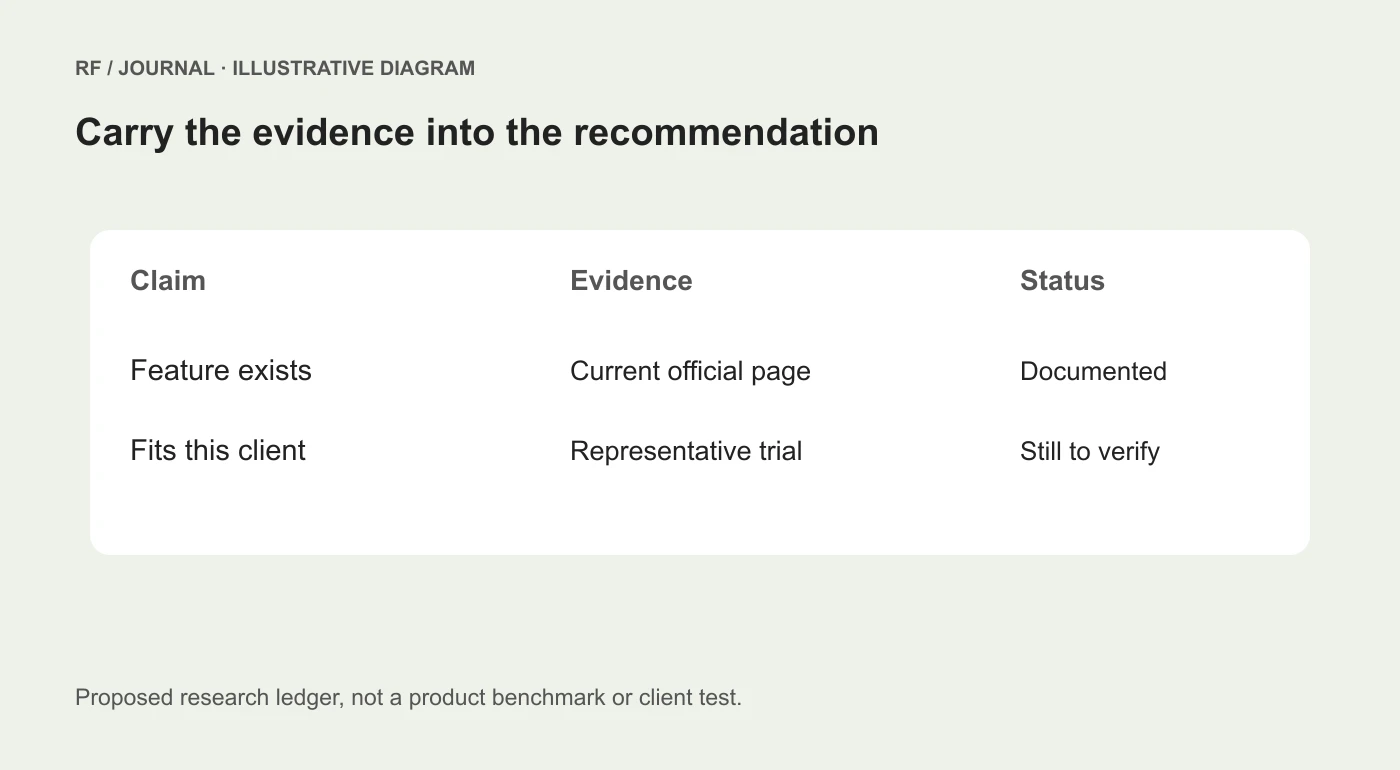
Proposed research review method, not a screenshot or measured comparison of AI browser products.
Watch for the date problem
Product research often contains three dates: the announcement date, the documentation update and the date you checked it. They can describe different stages of availability.
A launch post may describe a feature that later changed names, moved plans or acquired restrictions. A current help page may describe the feature without explaining when every customer received it.
Use current documentation for present capabilities and a dated announcement only when making a specific launch claim. If availability cannot be established, write “confirm in the intended account” instead of filling the gap with confidence.
Do not call an article “what launched yesterday” because a search result displays a recent crawl date. That date can describe the search engine's activity rather than the product release.
Treat page content as evidence, not authority to act
A webpage can contain instructions intended for an AI system. It can also contain ordinary marketing directions, embedded comments or misleading claims. None of those should expand the permission given by the person operating the assistant.
For the pilot, keep the task read-only and review any request for account access or an external action. A document telling the assistant to upload a file is not a substitute for the client's authorization.
This is a workflow boundary, not a claim that a particular product has or has not solved every prompt-injection risk. Evaluate the current product controls and the sensitivity of the task before granting broader permissions.
Avoid opening private mail, admin consoles or unrelated client material in the research context unless the task requires it and the access is authorized. Less irrelevant context makes the assignment easier to review as well as limiting unnecessary exposure.
Score usefulness with a small public-document pilot
Choose one real research question that can be answered from public sources. Prepare the expected output format and a short review rubric before running the task.
Inspect factual accuracy, source relevance, date handling, unsupported assumptions and the work needed to correct the result. Keep the original brief and final corrected version so the team can see what changed.
Do not reduce the evaluation to how quickly text appeared. A fast summary that needs extensive correction can be less useful than a slower, more careful comparison. If you record time, define what is included and avoid presenting one task as a general benchmark.
Ask whether the output changes a project decision. A ten-page overview that repeats familiar information may be less valuable than a short list of verified constraints and three questions for the next trial.
Turn findings into a client-safe recommendation
Separate documented capability, professional judgment and remaining verification. For example: the documentation supports a certain feature; the team believes it fits the proposed workflow; a representative trial is still needed before committing to it.
Do not erase uncertainty to make a proposal sound stronger. A client can make a better decision when they know which parts are established and which are assumptions.
Also retain the source record internally even when a presentation uses a shorter format. The next developer should be able to understand why a requirement was considered satisfied.
For broader automation boundaries, see our AI agent workflow guide. For choosing the CMS itself, begin with the CMS requirements framework.
Start with research that is easy to check
Use one focused question, public primary sources and an explicit claim ledger. Review the important pages, correct the output and record what still needs a trial. Only then consider whether additional capabilities are worth evaluating.
An AI browser can reduce the effort of gathering and organizing information. The professional value still comes from deciding what the evidence establishes and what the client should do next.
AI-assisted editorial guidance. Original illustrations are conceptual, not client evidence. Platform documentation checked 22 October 2026.


